Ubuntu vnc client evaluation
This article is automatically synchronized by Tencent Cloud + Community, the original address is https://stackoverflow.club/article/ubuntu_vnc_client_compare/
Introduction#
I plan to package the windows software and environment as a kvm image, which is ready to use like docker. But the vnc client has become a nuisance. This article tested two commonly used vnc clients for reference only.
xtightvncviewer
Install command
| 1 | sudo apt install xtightvncviewer |
|---|
Start command
| 1 | xtightvncviewer |
|---|
Start commands in other formats
| 123 | # You will be prompted to enter the password interactively on the command line# Note that there are two colons between ip and port xtightvncviewer ip::port # |
|---|
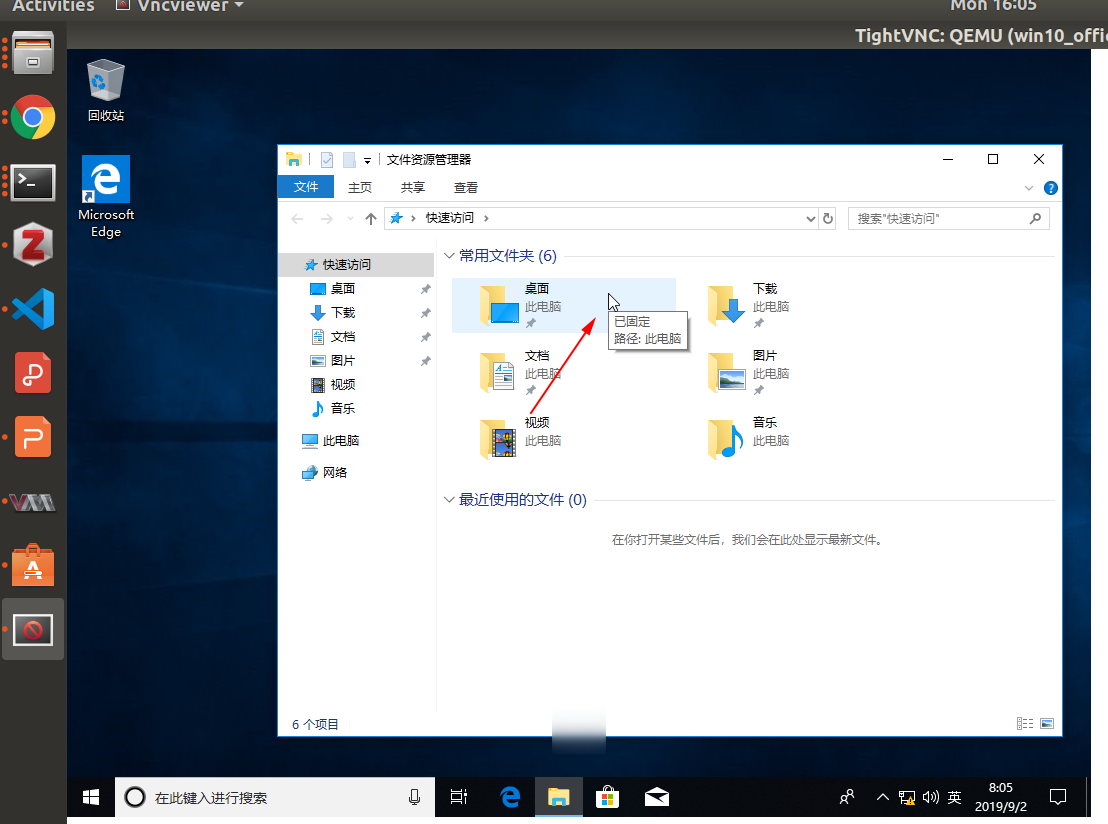
advantage:
- The mouse that controls the machine becomes small, and the mouse that controls the vnc is a normal mouse, which can avoid misoperation
- Automatically limit the control range of vnc, when the mouse exceeds the vnc area, it will automatically get out of control, similar to the mouse control idea of kvm itself
tigervnc-viewer
Install command
| 1 | sudo apt install tigervnc-viewer |
|---|
Start command
| 1 | vncviewer |
|---|
Disadvantages:
- The mouse to control this machine is the same as the mouse to control vnc, which is very easy to mishandle
- No range automatic control