ubuntu/win10 CLion use
Copyright statement: This article is the original article of the blogger and may not be reproduced without the permission of the blogger. https://blog.csdn.net/haluoluo211/article/details/77803333
This article mainly introduces the basic usage of CLion and CMakeLists.txt under ubuntu/win.
When I first used python at work, I thought this IDE was particularly easy to use.,Later using java
IDEA is also very convenient,Both IDEs are developed by JetBrain. Two or three years ago
Development C++When I used VS2010, I felt that VS was too bulky. VS2013 behind/2015 experience
Not very good either. Found C developed by JetBrain++The editor CLion tried decisively and found
It's actually very easy to use (whether it's reading code or debugging).
CLion advantages:
- Support N main functions under one project (it doesn't seem to work when using VS before, and I don’t remember it after a long time). This is especially convenient for running debugging
- The style of IDE is similar to Pycharm and IDEA. It looks very comfortable, and the shortcut keys are very easy to use.
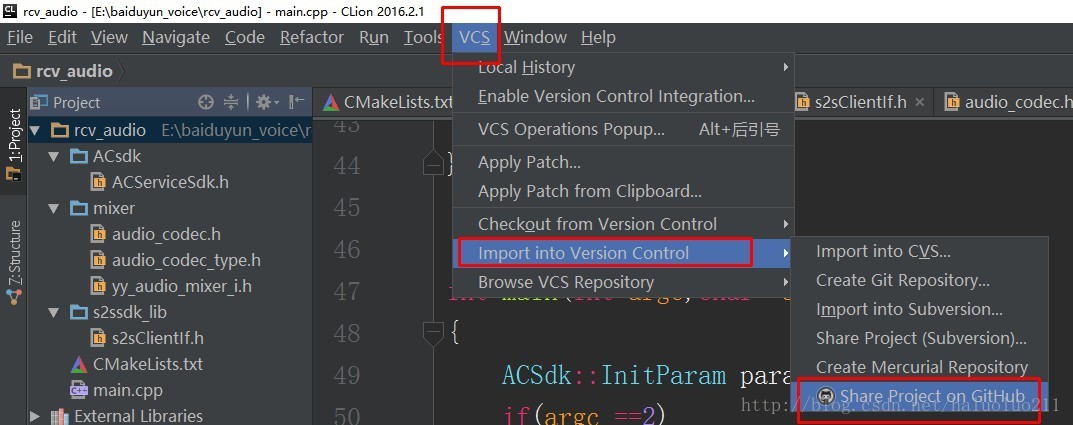
- You can call the git SVN tool to directly create a github project
- Cross-platform (many of the code at work can only be compiled and run under linux, and the company code basically uses makefiles, we can download the code under win10 and add a few CMakeList.txt to read it well, write the code, and after completion Upload the code to linux compilation)
First look at the previous picture below the effect of win10:
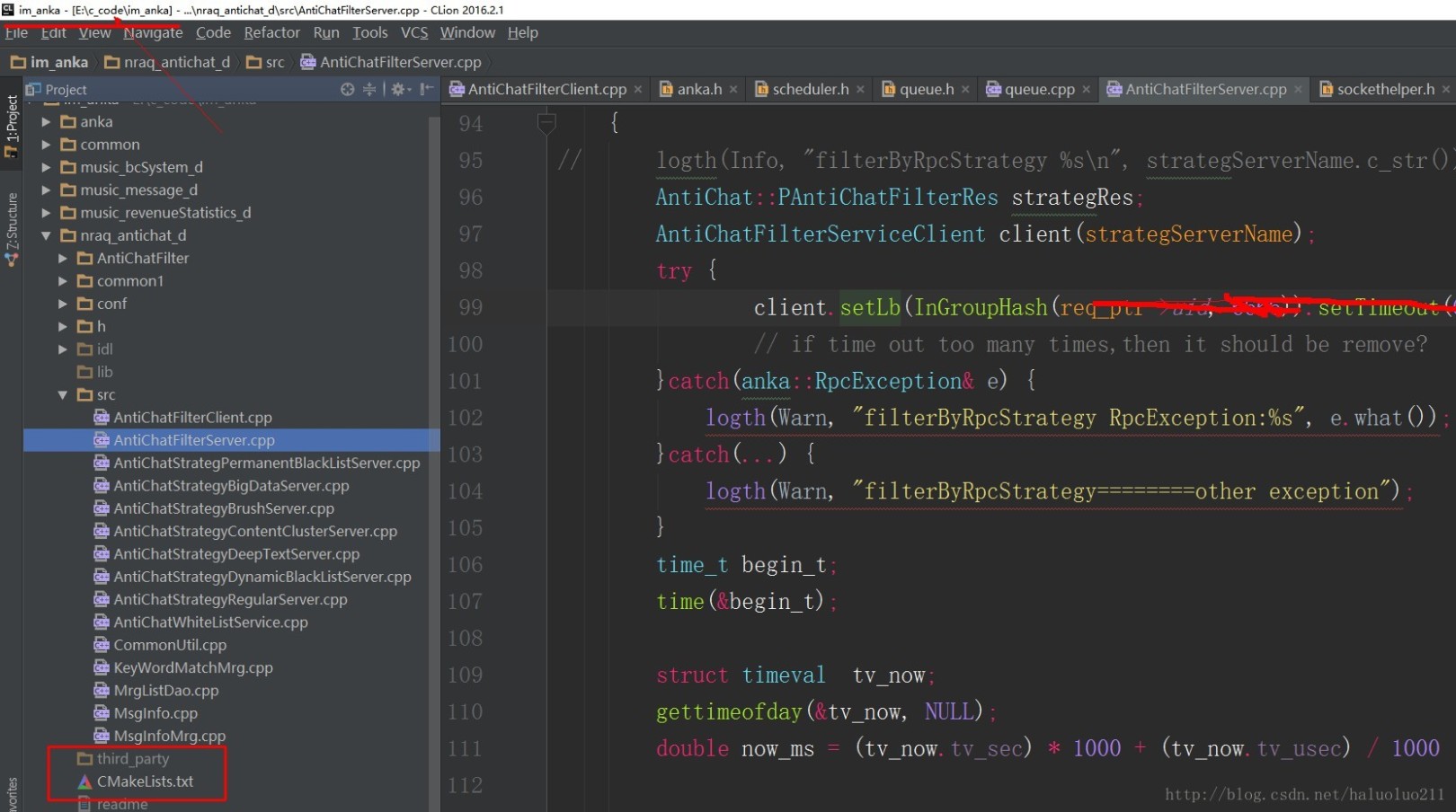
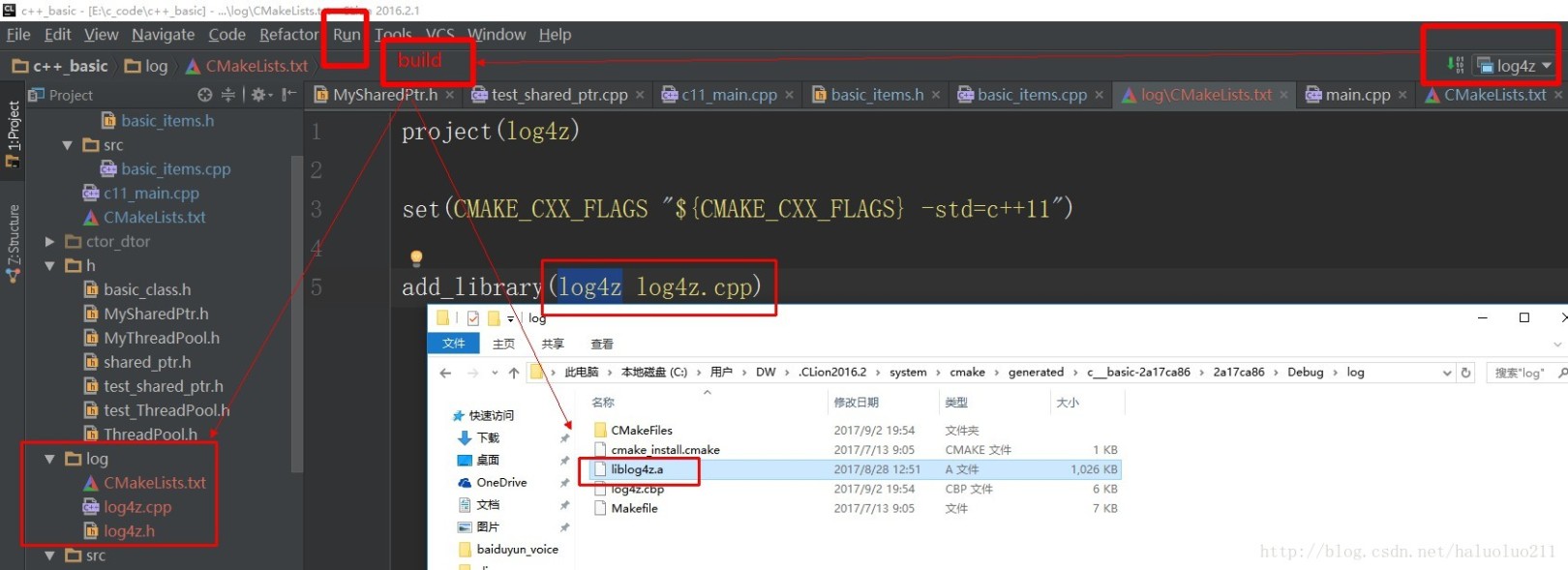
Generate .a file:
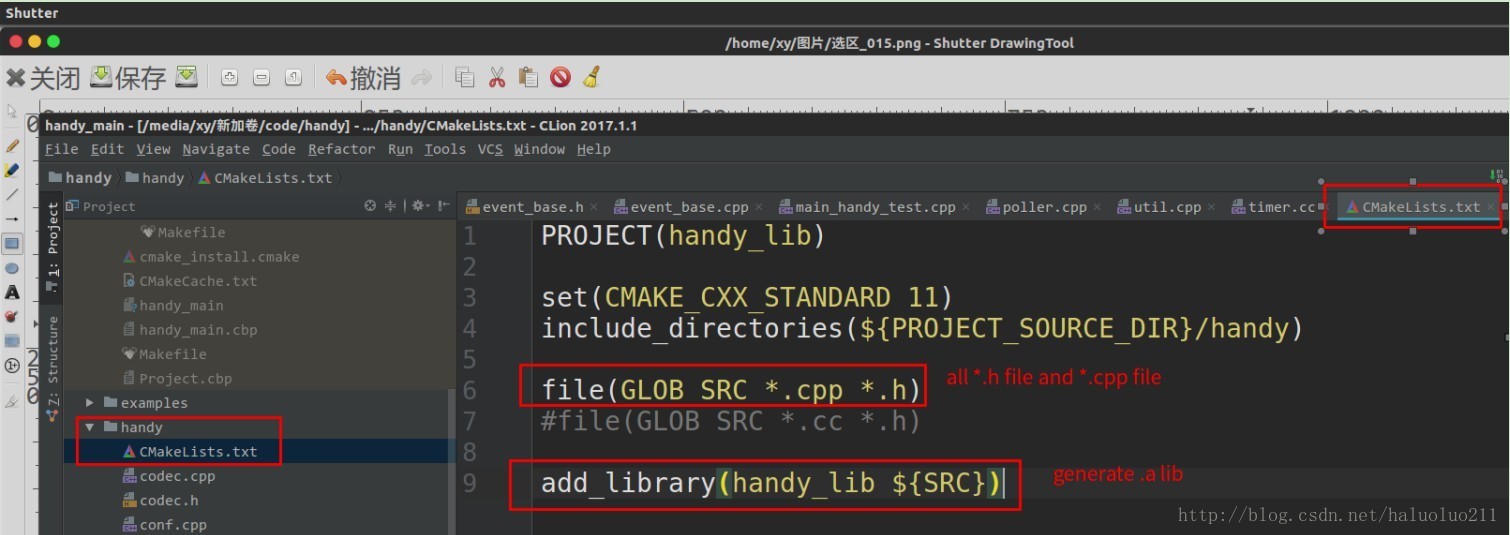
The following is writing and debugging C++11 handy network library source code under ubuntu environment, writing simple CMakeLists.txt can generate static library static lib:
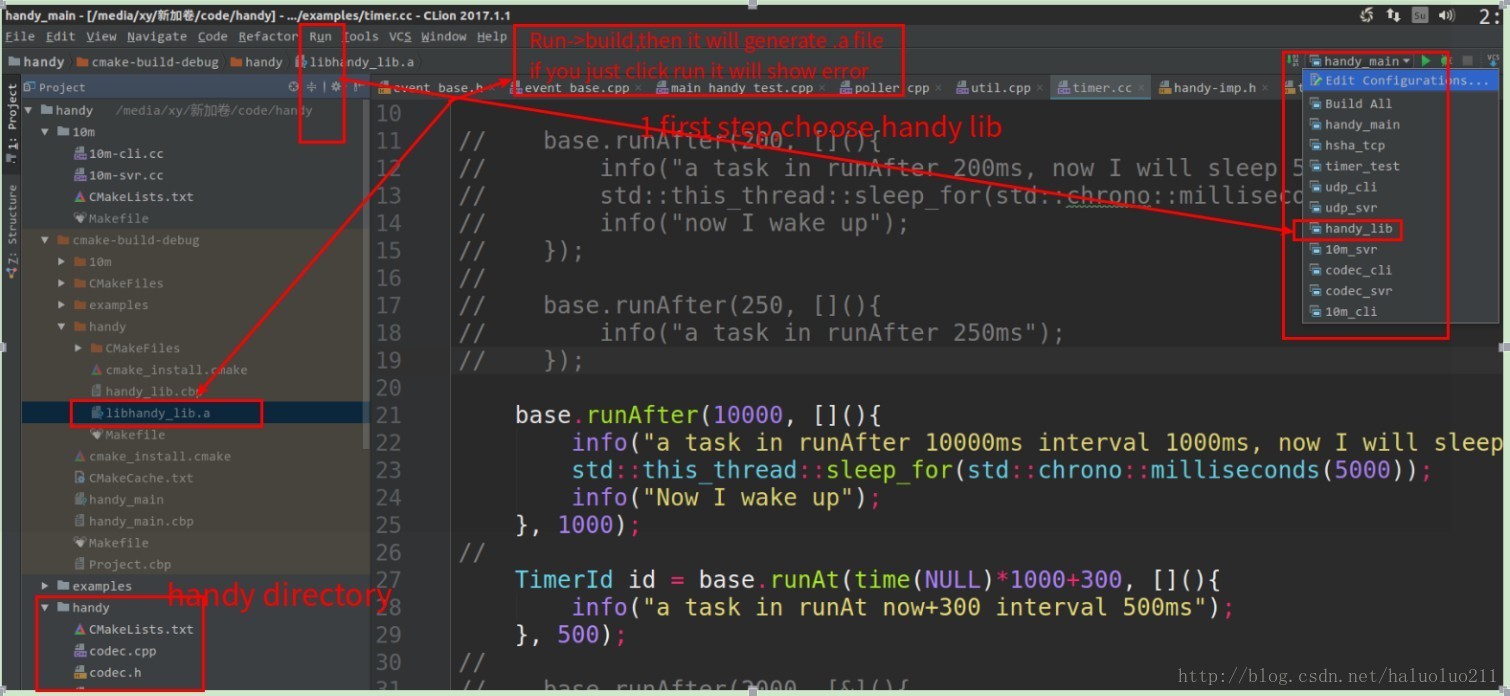
Generate executable files and link static libraries:
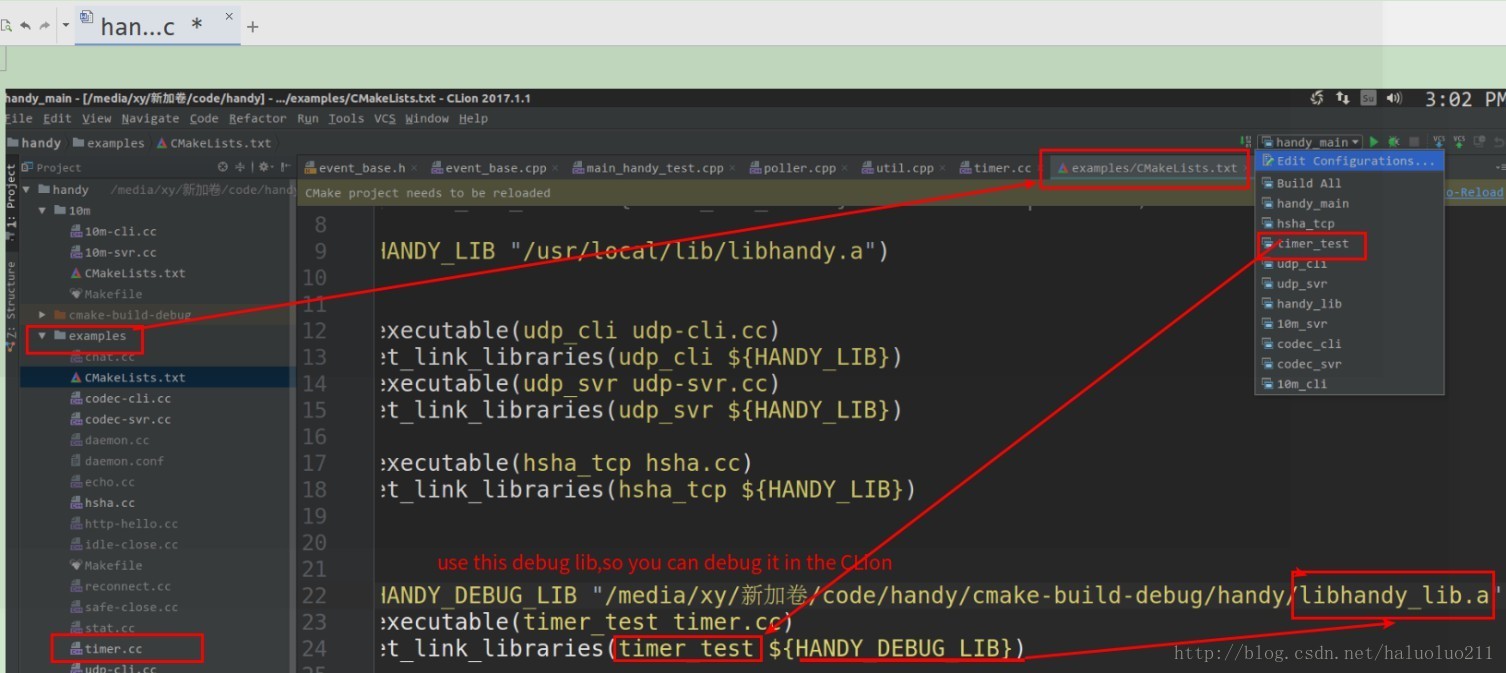
It is also very convenient to debug (under win10):
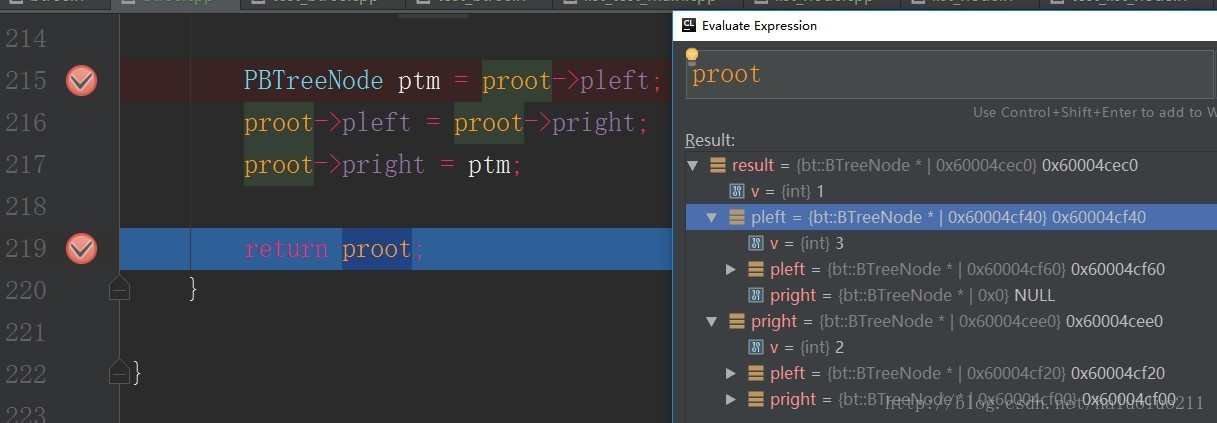
Below ubuntu:

A simple example code structure is given below:
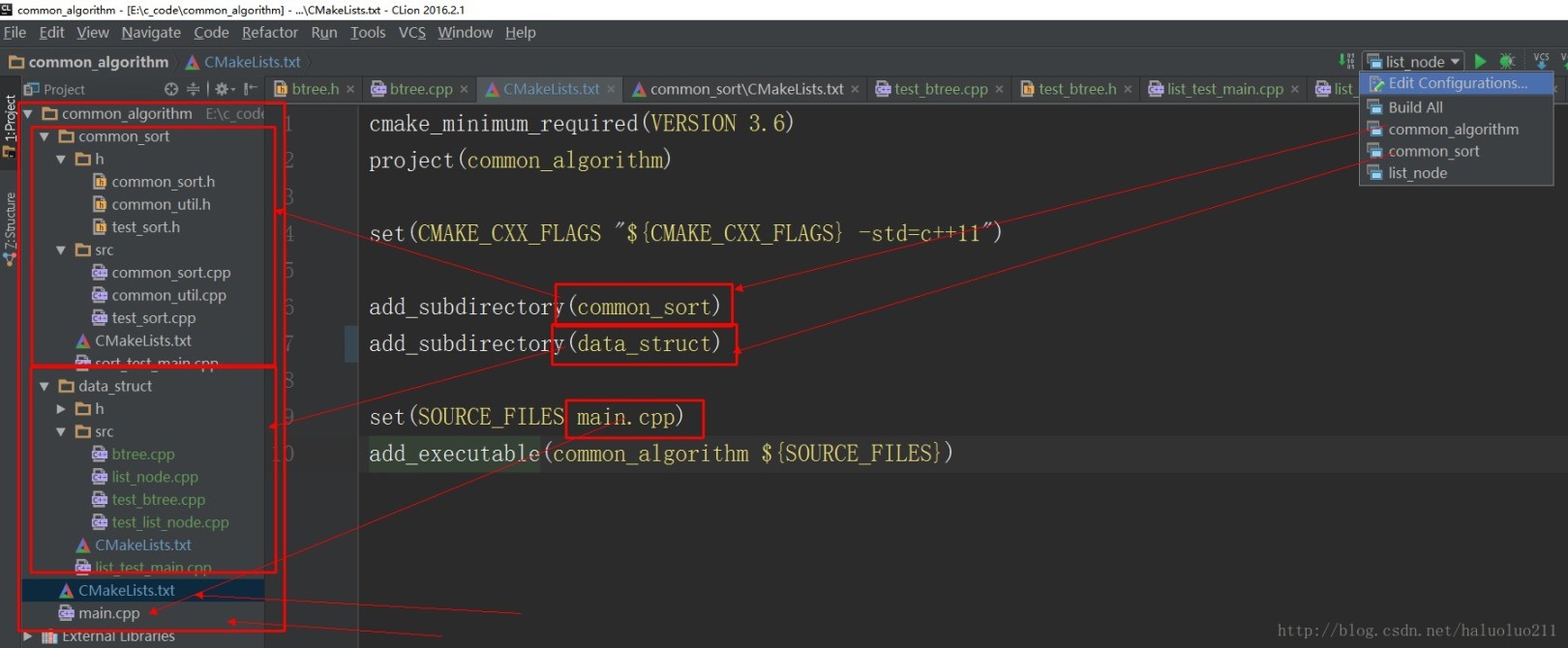
CMakeLists.txt is as follows:
# main cmakelists.txt
cmake_minimum_required(VERSION 3.6)project(common_algorithm)set(CMAKE_CXX_FLAGS "${CMAKE_CXX_FLAGS} -std=c++11")add_subdirectory(common_sort)add_subdirectory(data_struct)set(SOURCE_FILES main.cpp)add_executable(common_algorithm ${SOURCE_FILES})

# common_sort cmakelists.txt
project(common_sort)set(CMAKE_CXX_FLAGS "${CMAKE_CXX_FLAGS} -std=c++11")include_directories(h)include_directories(src)file(GLOB SRC sort_test_main.cpp h/*.h src/*.cpp)

add_executable(common_sort ${SRC})
When the file is not the source file of executable file /lib/so, the icon of the file/folder is gray and the code is not highlighted
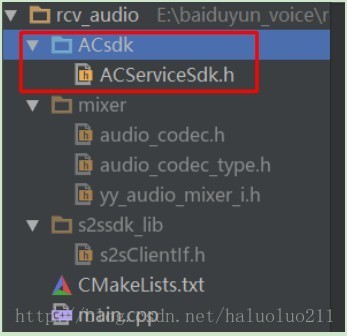
Solve the mail file or folder mark directory as ->project sources and headers:

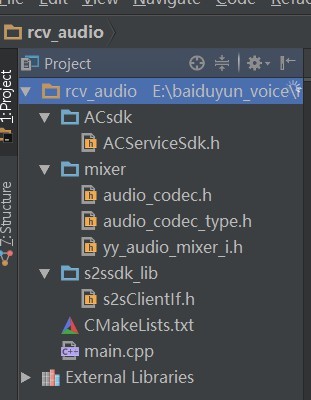
Upload the project to github
pycharm IDEA has this function
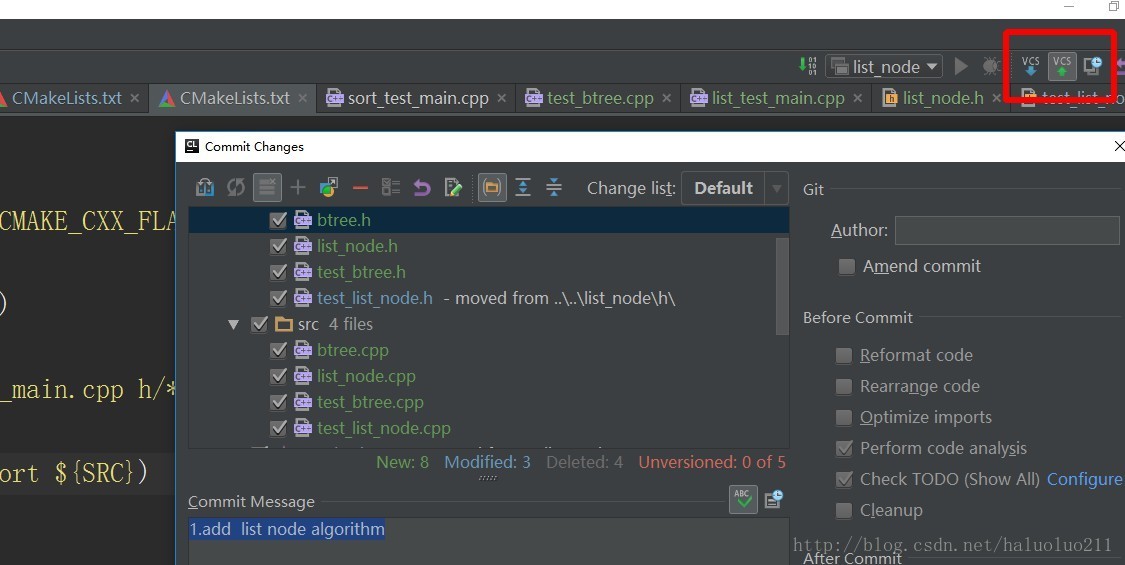
Push and pull are very convenient for uploading code:
For more use, please see the official website document
https://www.jetbrains.com/help/clion/2017.1/quick-start-guide.html
Recommended Posts