Why did I abandon Ubuntu?
I have been using Ubuntu's Linux distribution for more than ten years. However, after so long, I changed my mind for the first time. Now I started using Manjaro and it feels very good!
**ubuntu is great! **
For Ubuntu, I still give a high evaluation, and I admire Canonical very much. In the corporate world, no one can promote Linux as a strict enterprise infrastructure tool like Red Hat. Canonical also contributed a lot, it successfully promoted the Linux desktop version to many novice user groups.
Many people try Linux for the first time from Ubuntu. After they gain a firm foothold and gain some experience, some people will try other distributions. Whether in real life or online, I have heard many similar stories. Many people told me that they particularly like a certain distribution, such as Fedora, Debian, etc., but they were all exposed to Ubuntu at the beginning. If they try their favorite distribution from the beginning, they may not be able to persist. This is all thanks to Ubuntu.
No business or company is perfect. Over the years, Canonical has also made some ill-considered decisions, such as imposing the Unity desktop (designed to maximize the screen space of small notebooks) on all other computers. However, it humbly listened to the opinions of the user group and overturned some of its decisions. Cancel the default Amazon search results is a good example. Overall, I still think Canonical plays a good role in the Linux field. My decision this time has nothing to do with the organization behind Ubuntu.
So why should I switch to Manjaro, and is this decision right for you?
Manjaro is faster than Ubuntu
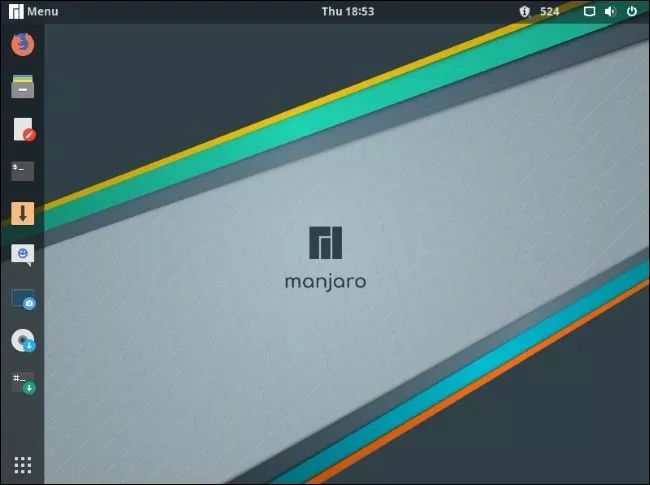
For research and other purposes, I keep VirtualBox images of many Linux distributions. I found that running Manjaro in a virtual machine is almost as fast as running Ubuntu directly on my machine.
This is a very compelling factor because I often need to compile large code bases. The faster my computer can complete this task, the faster I can start the next task.
Manjaro can load applications faster, switch between applications, move to other workspaces, and start and close. And all these accelerations can stack up.
Operating systems that have just been installed are generally very fast. Is this fairer? I think it's fair. I just installed Disco Dingo 19.04 in late April this year. In such a short period of time, Ubuntu’s speed shouldn’t be so obvious. I have been using GNOME on Ubuntu, and now I also use GNOME in Manjaro-although Manjaro also provides Xfce, KDE, and command line installation methods.
So, why does Manjaro have such a speed advantage? Let's take a look at the number of services and daemons running by default. They all consume system resources, such as a small amount of memory and some kernel time. You can check the enabled services and daemons by typing the following commands in the terminal window:
1 systemctl list-unit-files --state=enabled --no-pager
The results on Ubuntu are as follows:

The results on Manjaro are as follows:

Both systems are freshly installed. As shown above, Manjaro has 24 enabled daemons, while Ubuntu has 90 enabled daemons. This overhead is bound to have an impact.
Your actual situation may be slightly different, but I think Manjaro has an absolute advantage in terms of speed.
Manjaro is a lean and streamlined Linux system
Ubuntu is equipped with many applications. Manjaro is based on Arch Linux and adopts many principles and philosophy of Arch Linux, so it is different from Ubuntu.
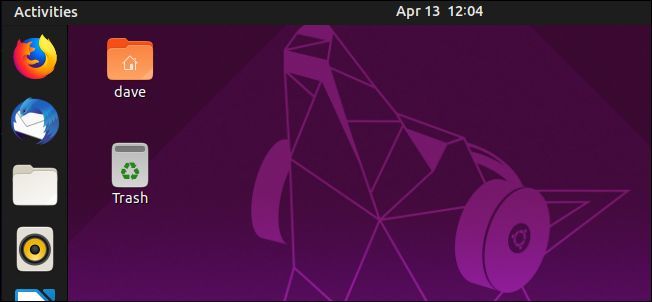
Compared with Ubuntu, Manjaro seems very rudimentary. You can simplify the installation (which means that the installation time is short), and then decide which applications you need. The simplified version comes with an email client, web browser, office suite, and other essentials, but other than that, it's up to you to install which applications.
Manjaro feels like driving a homemade kart. And Ubuntu feels like a large, comfortable, well-stocked touring car. Both methods have their own strengths. However, it seems more logical to load only the necessary applications initially. If you like the "all-encompassing" approach, then Ubuntu should suit your appetite better.
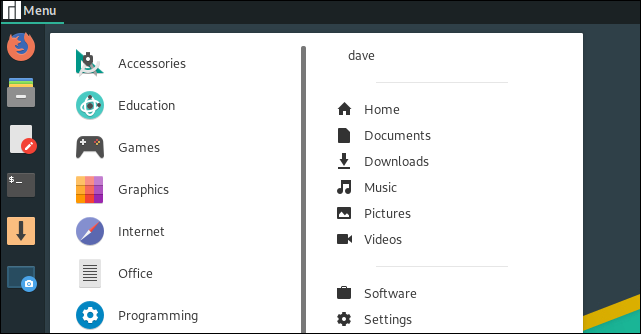
Manjaro does not pursue minimalism like Arch Linux. When using Arch, you can indeed start from scratch and adjust the settings manually. You need to edit a file to specify the keyboard layout, and then use another file to set the terminal font. After the default Arch installation is complete, you can run the Linux instance through the command line. If you need a graphical desktop environment, you need to go one step further, choose one from many options, and then install and configure.
If Manjaro feels like driving a self-made kart, Arch feels like you need to smelt iron by yourself and then build the kart. But this is the characteristic of Arch-the predetermined functions are almost zero.
If you are not a purist, and you don't need this level of detailed control, then maybe Manjaro is closer to "undeployed" Linux. It is completely different from the Ubuntu experience, it feels pure, refreshing and responsive.
If you have ever used Google's official smartphone (Nexus or Pixel, etc.), and also experienced bare Android, then you will really like Manjaro's uniqueness. Unlike other mobile phone manufacturers, there are no so-called "improvements" between users and operating systems and tools in Google's official smartphones.
This is how I personally feel about Manjaro.
Cutting-edge rolling release
Ubuntu releases two regular versions every year: one in April and the other in October. Therefore it is called a fixed release or fixed point release system. After all applications and functions have been developed and tested, they are submitted to the next version for release. When the release date comes, Ubuntu will provide a new release.
In a rolling release, the applications in the code base will be updated after they pass the developer test and pass the acceptance test. Then it is available for users to download. This continuous update is uninterrupted. There will be no major jump in the "next version" throughout the release. Both methods have their own advantages and disadvantages.
In the rolling release model, you don't have to go through two system upgrades per year. You can get new features, kernels and applications in time. However, the price paid is stability. The "tip" sharpness is a double-edged sword.
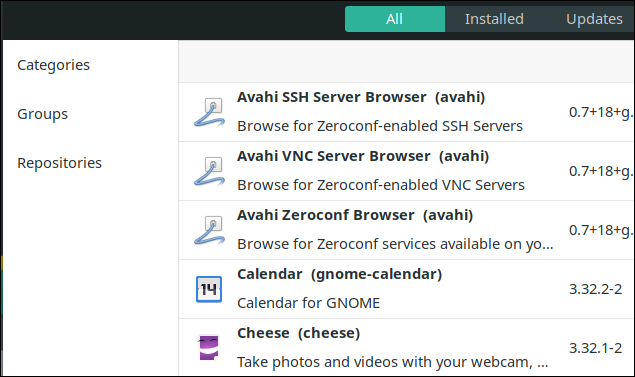
Manjaro delayed the release of new applications and features for several weeks, hoping to avoid most of the risks of the rolling release model. All applications and functions need to be tested and proven to be safe before they can be used, but it is still inevitable that there will be a fish in the net.
Of course, even if there is a problem with a function, you can easily track it down because you know the last updated content. So rollback is also easier. In other words, if a problem is discovered shortly after you upgrade or install (or the problem itself is widely known), then you know that there was a problem with the last update.
I spent two days trying to figure out where my Ethernet connection went. But it seems to have disappeared, no trace of it in the command line or graphical interface tools. In the end, I found out that it was my own problem. I built a VirtualBox with mismatched software modules. My fault!
Similarly, every time a new version of Ubuntu is released, I often find that frequently used applications have been deleted, or an application that I rely on is not working properly. Why do I have to modify the Samba SMB mount settings in fstab after every upgrade?
And Manjaro has established a clean and relaxed way to help you maintain the state you want. I like this approach because you can choose the distance from the "tip"-you can watch from afar, or you can try it bravely.
Of course, many people who use Linux don't want to get too close to the "tip". What they desire is long-term support and stability, as well as an upgrade once every two years.
The rolling distribution model is another factor in my preference for Manjaro.
Better third-party software library
Ubuntu's apt-get package manager and Ubuntu Software applications are excellent. Although it's been a few years and it's a bit clumsy, it still works. And because Ubuntu is very popular, many applications that are not part of the core distribution (such as Slack) provide ".deb" files to simplify installation.
However, the less effective is the management of Personal Package Archives (PPAs). A PPA is a code library for one or more applications, usually provided by the developer separately. If you want to use PPA, you need to add it to the system through a terminal window and run sudo apt-get update. Then, install the software through sudo apt-get.
Although this process does not take much time, the subsequent management of the PPA is very troublesome. The PPA should be cleared when it expires. If you reinstall Ubuntu, you also need to restore these PPAs. They may be abandoned, unmanaged, and without any notice.
For many people, the upgrade of Ubuntu can be seamless, but for some people, the upgrade of Ubuntu is miserable. These unfortunate people need to reinstall to migrate to the new version. And after reinstalling the system quickly, restoring all PPA is very cumbersome.
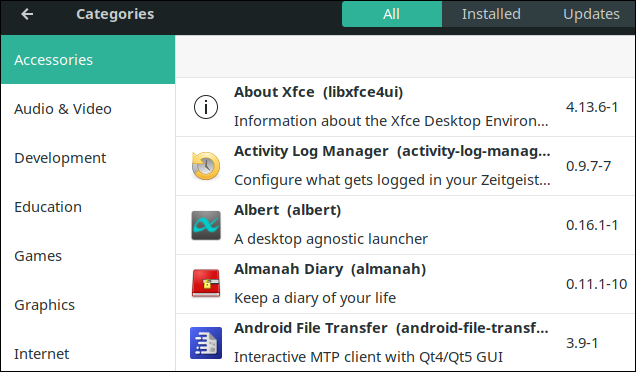
Manjaro's code base gathers a large number of software, and is controlled and managed by community volunteers. The package management in Manjaro can meet all your needs, you can choose from many command lines and GUIs.
When using Manjaro, you can also access the Arch User Repository (AUR), which may be the largest code base that meets the needs of all releases. Of course, the latest products are also included in the AUR.
To reiterate, "the cutting edge" has advantages and disadvantages. However, if a feature you want has not been added to the Manjaro library, then you can use AUR.
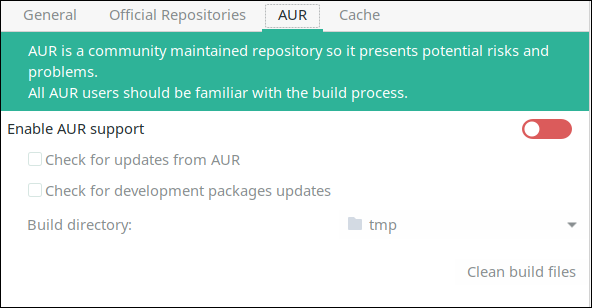
Manjaro's package management feels like a clean stream. You have a standard code base, and thrill seekers can take advantage of AUR. Compared with the management of many PPAs, this method is very simple.
Manjaro scored another point.
Think twice
Of course, before installing the latest version of Manjaro, it is best to try it first. If you have spare hardware, you can give it a try, make sure that the Manjaro distribution meets your expectations, and then install it on your daily computer.
You can also experience Manjaro for yourself through Manjaro Live CD. However, due to the throughput bottleneck of the CD-ROM drive, the performance will be poor. In addition, you can also choose the USB method, but again, the performance depends on the USB drive. If you install Manjaro directly on the hardware, you will have a completely different experience.
If you use VirtualBox or QEMU, you can quickly try the latest version of Manjaro in a virtual computer.
You can also try the great resources on DistroTest. You can choose a virtual machine from hundreds of Linux distributions supported by Manjaro. You can test most distributions by choosing a desktop environment. You can test more than 700 versions.
The bottom layer is Linux
The reasons why I switched to Manjaro are summarized as follows:
- Fast speed, not bloated.
- Rolling release model.
- Simple package management.
Of course, these are subjective views, and maybe some are important to you.
Even if you switch from one distribution to another, you can continue to use the applications you need and are familiar with. This is one of the advantages of Linux. This conversion is fast and makes you feel at home.
Continuous exploration is a good thing, there is no end to learning!