Hfish honeypot construction (docker&ubuntu)
Recently, HW is coming soon, Hfish honeypot is very popular, try to build it.

project address
https://github.com/hacklcx/HFish
https://hfish.io/
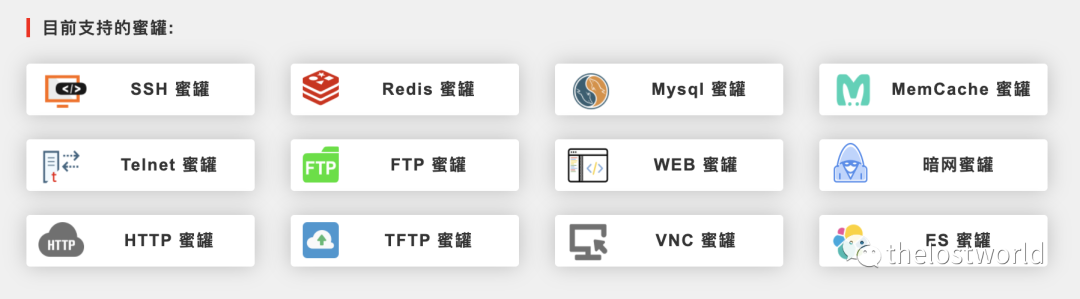
Supported honeypot types:
Official installation guide: (docker version operation is very simple)
https://hfish.io/docs/#/deploy/docker
docker installation
Docker installation:
Docker download image (the currently tested docker version is 0.6)

Single node deployment (this time mainly personal [cloud server] (https://cloud.tencent.com/product/cvm?from=10680) build)
The value of the environment variable API_IP is composed of the IP address of the API plus the port.
The default account password is admin, if you need to modify it, you can modify it by adding -e USERNAME= -e PASSWORD= to the environment variable. (You can also enter the container configuration config.ini to configure the account password after starting the container)
If you need to store data persistently, you can add the parameter -v $PWD:/opt to mount the data volume to Host to avoid data loss when the container is deleted.
Start docker
The port correspondence can also be modified by yourself (-p 22:22, the first 22 is the host port, and the second 22 is the port mapped by docker) can be changed according to your host situation
Access management port: ip+9001 (management port can be modified)
The port and password were changed when building
Enter the docker container after startup
You can modify the port and password after entering
vi Hfish/config.ini
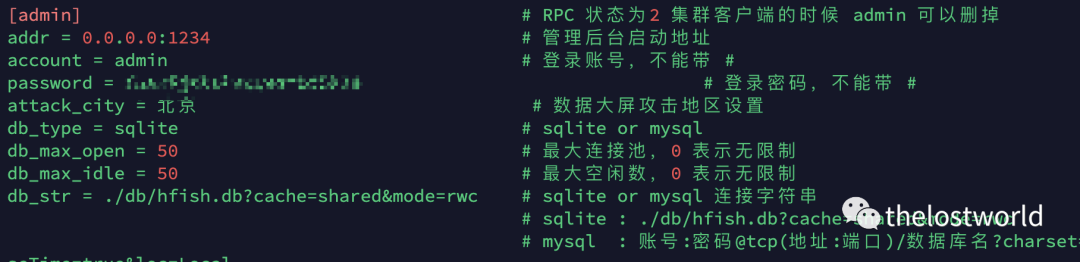
Port relationship:
One more note:
report_key and query_key are recommended to be modified to prevent the data from being taken away
There are some other attributes that can be adjusted, see config.ini for details (default related information)
| [ rpc] |
|---|
| status = 0 # Mode 0 closes 1 server 2 client |
| addr = 0.0.0.0:7879 # RPC server address or client address |
| name = Server # State 1 Server name State 2 Client name |
| [ admin] # admin can be deleted when RPC status is 2 cluster client |
| addr = 0.0.0.0:9001 # Management background start address |
| account = admin # Login account, no # |
| password = admin # Login password, no # |
| attack_city = Beijing# Data big screen attack area setting |
| db_type = sqlite # sqlite or mysql |
| db_max_open = 50 # Maximum connection pool, 0 means unlimited |
| db_max_idle = 50 # Maximum idle number, 0 means unlimited |
| db_str = ./db/hfish.db?cache=shared&mode=rwc # sqlite or mysql connection string |
| # sqlite : ./db/hfish.db?cache=shared&mode=rwc |
| # mysql: account: password@tcp(address: port)/database name?charset=utf8&parseTime=true&loc=Local |
| [ api] |
| status = 1 # Whether to start API 0 Disable 1 Start |
| web_url = /api/v1/post/report # WEB honeypot report API |
| deep_url = /api/v1/post/deep_report # Darknet honeypot report API |
| plug_url = /api/v1/post/plug_report # Plug-in honeypot report API |
| report_key = 9cbf8a4dcb8e30682b927f352d6559a0 # API report authentication key |
| query_key = X85e2ba265d965b1929148d0f0e33133 # API query authentication key |
| [ plug] |
| status = 1 # Whether to start the honeypot plugin 0 Close 1 Start, you need to start the API first |
| addr = 0.0.0.0:8989 # Honeypot plugin startup address |
| [ web] |
| status = 1 # Whether to start WEB 1 Start 0 Close, WEB can report the result after starting API |
| addr = 0.0.0.0:9000 # WEB startup address, 0.0.0.0 is open to the outside world, 127.0.0.1 is open to the inside and can use Nginx reverse proxy |
| template = wordPress/html # WEB template path |
| index = index.html # WEB home page file |
| static = wordPress/static # WEB static file path Note: There must be two directories, html file and static file cannot be leveled |
| url = / # WEB access directory, default / can be changed to index.html index.asp index.php |
| [ deep] |
| status = 1 # Whether to start the dark web 1 start 0 close, the result can be reported after the API is started |
| addr = 0.0.0.0:8080 # Darknet WEB start address |
| template = deep/html # Darknet WEB template path |
| index = index.html # Darknet WEB homepage file |
| static = deep/static # Darknet WEB static file path Note: There must be two directories, html files and static files cannot be leveled |
| url = / # Darknet WEB access directory, default / can be changed to index.html index.asp index.php |
| [ ssh] |
| status = 2 # Whether to start SSH 0 Close 1 Low interaction 2 High interaction |
| addr = 0.0.0.0:22 # SSH server address pay attention to the port conflict, please close the server openssh service first or modify the port |
| [ redis] |
| status = 1 # Whether to start Redis 0 Turn off 1 Start |
| addr = 0.0.0.0:6379 # Redis server address pay attention to port conflicts |
| [ mysql] |
| status = 1 # Whether to start Mysql 0 Close 1 Start |
| addr = 0.0.0.0:3306 # Mysql server address pay attention to port conflicts |
| files = /etc/passwd,/etc/group # Mysql server reads any file on the client side; write multiple commas to separate them, and they will be randomly selected |
| [ telnet] |
| status = 1 # Whether to start Telnet 0 Turn off 1 Start |
| addr = 0.0.0.0:23 # Telnet server address pay attention to port conflicts |
| [ ftp] |
| status = 1 # Whether to start Ftp 0 Turn off 1 Start |
| addr = 0.0.0.0:21 # Ftp server address pay attention to port conflicts |
| [ mem_cache] |
| status = 1 # Whether to start MemCache 0 Turn off 1 Start |
| addr = 0.0.0.0:11211 # Memcache server address pay attention to port conflicts |
| [ http] |
| status = 1 # Whether to start HTTP proxy 0 off 1 start |
| addr = 0.0.0.0:8081 # HTTP proxy address pay attention to port conflicts |
| [ tftp] |
| status = 1 # Whether to start tftp 0 close 1 start |
| addr = 0.0.0.0:69 # tftp server address pay attention to port conflicts |
| [ elasticsearch] |
| status = 1 # Whether to start ES honeypot 0 Close 1 Start |
| addr = 0.0.0.0:9200 # ES honeypot server address pay attention to port conflicts |
| [ vnc] |
| status = 1 # Whether to start the VNC honeypot 0 close 1 start |
| addr = 0.0.0.0:5900 # VNC honeypot server address pay attention to port conflicts |
linux service installation (ubuntu)
Installation note (To use 0.6.3, please download 0.6.2 first, and then overwrite 0.6.3 into the 0.6.2 program.)
Otherwise the download will not work (./Hfish)
Download the version corresponding to your operating system:
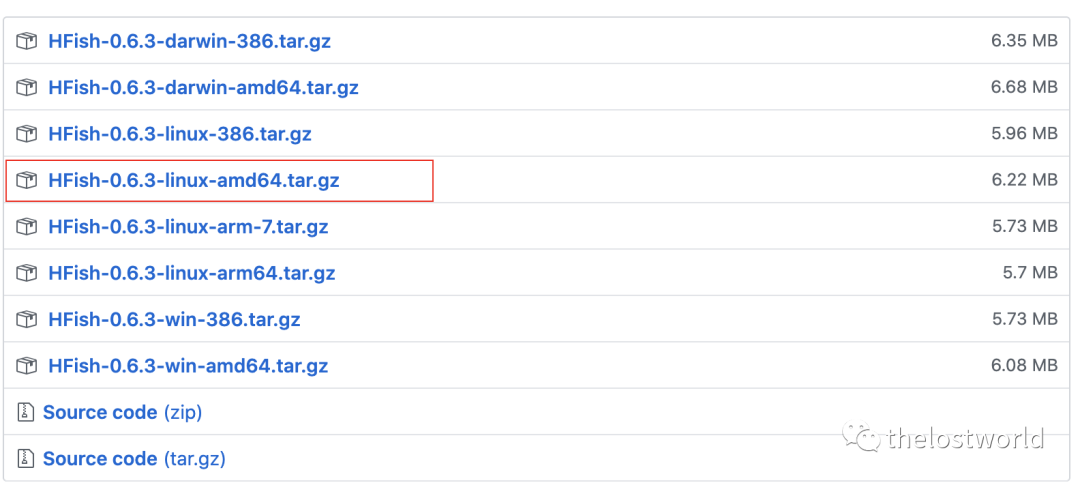
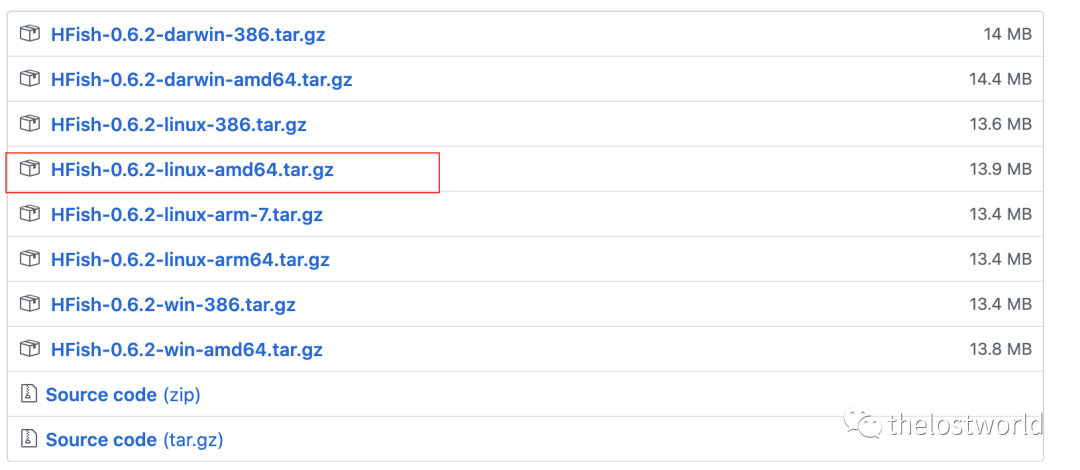
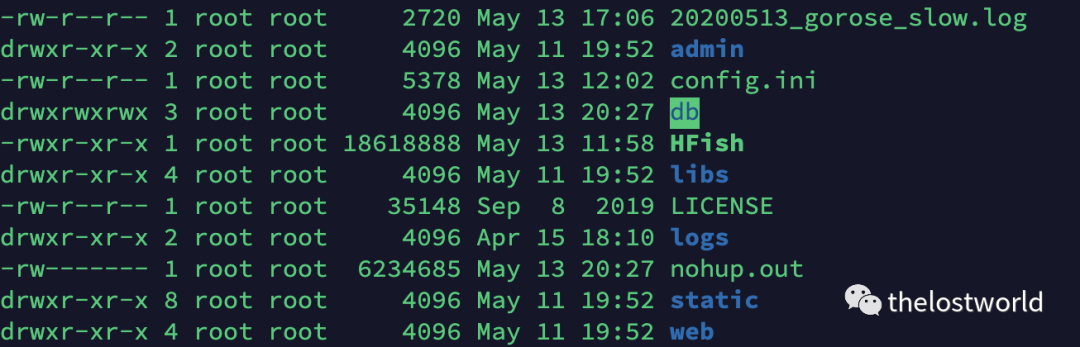
Download and unzip

Overwrite the files in 0.6.3 to 0.6.2
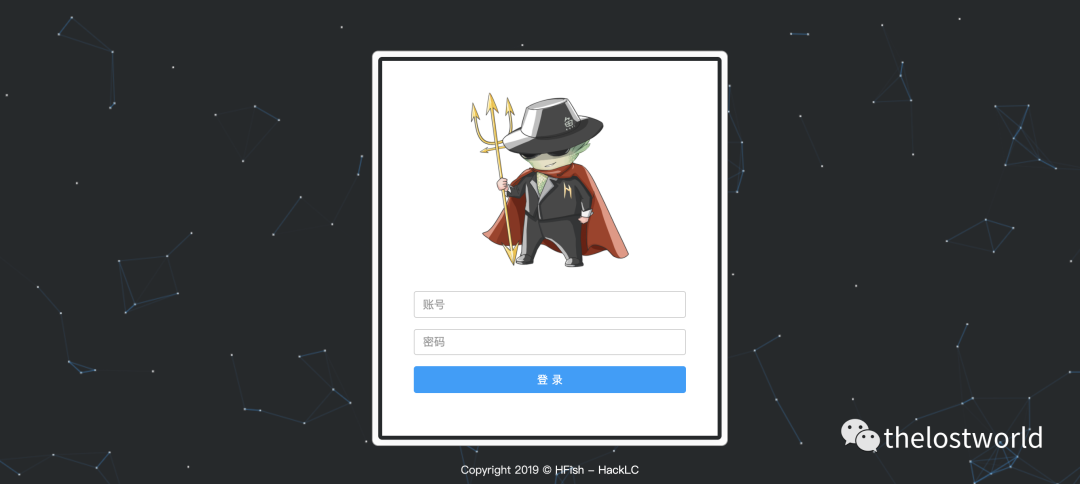
Visit the ip+9001 management interface and it's OK
If you need to modify the port, password, service-related configuration, see the modification configuration method of the docker section (the configuration method is the same)
Final rendering
Dashboard effect
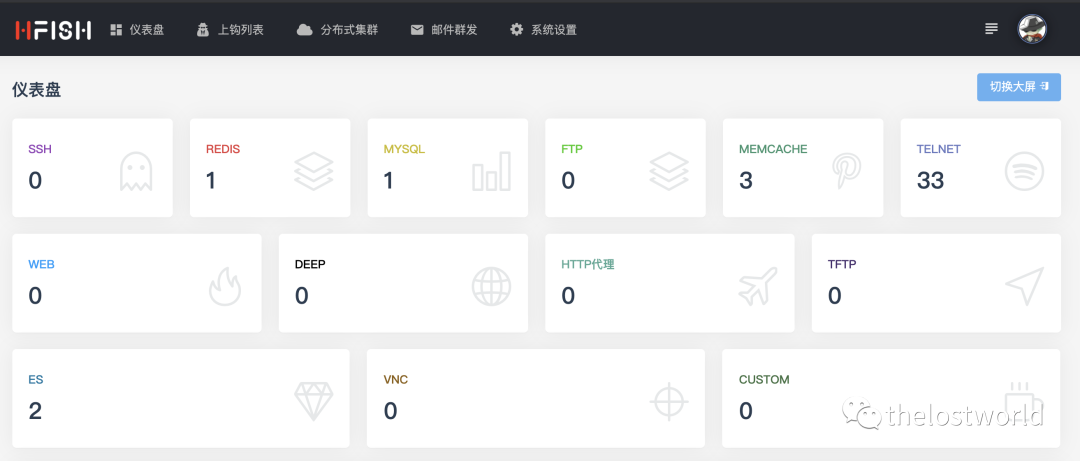
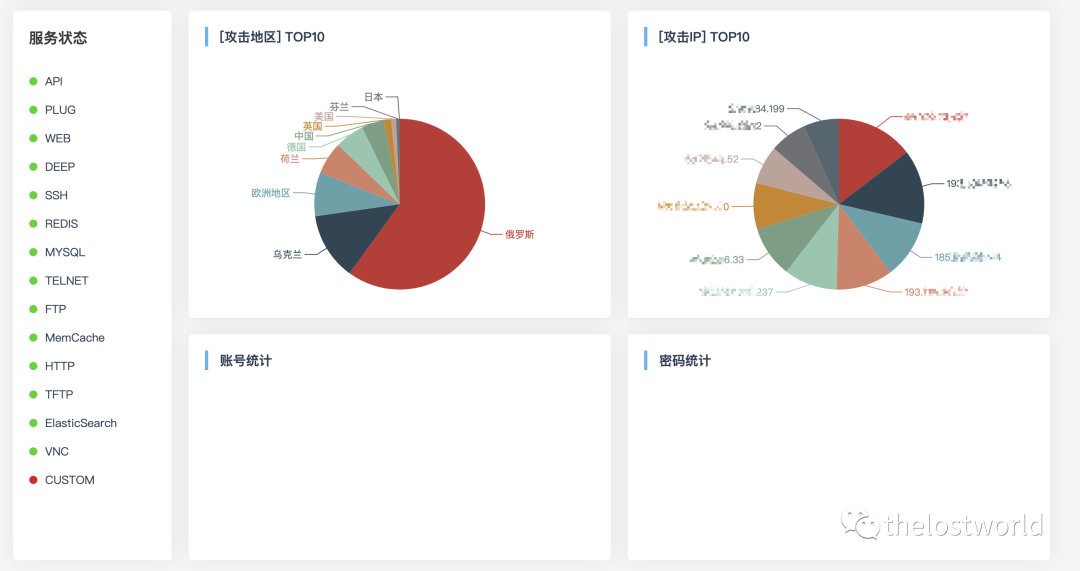
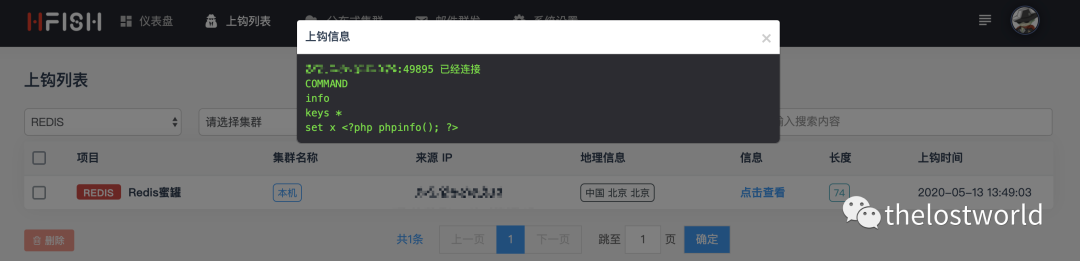
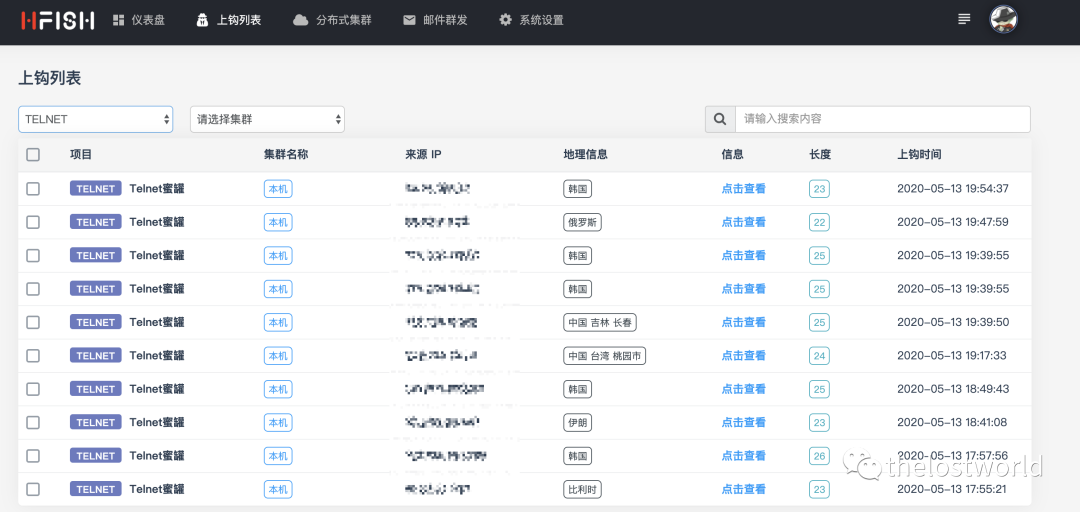
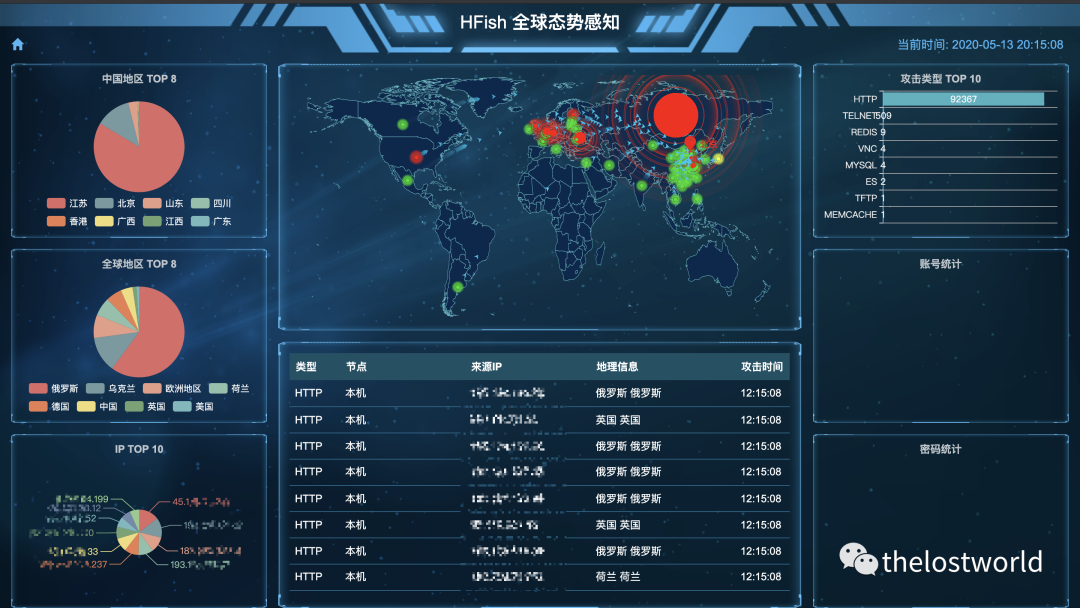
The effect is very good. Data display and process records are good.
Supplement: This article only builds a single node deployment. If you need cluster deployment, move to step (https://hfish.io/)
reference:
https://github.com/hacklcx/HFish
https://hfish.io/
https://hfish.io/docs/#/deploy/docker
Recommended Posts