Awesome! Support a practical Linux resource monitoring tool

It has a game-style responsive terminal UI and customizable menus. The neat arrangement of various display parts makes it easy to monitor various system indicators. Bashtop is a terminal-based resource monitoring utility in Linux. It is a beautiful command line tool that can visually display statistics on CPU, memory, running processes and bandwidth.
Using Bashtop, you can also sort processes and easily switch between various sorting options. In addition, you can send SIGKILL, SIGTERM and SIGINT to the desired process.
Bashtop can be installed on Linux, macOS and even FreeBSD. In this guide, you will learn how to install Bashtop on various Linux distributions.
prerequisites
To successfully install Bashtop, make sure the following dependencies are prepared in the system.
• Bash 4.4 or higher • Git • GNU Coreutils • GNU sed, awk, grep and ps command line tools • Lm sensor-optional (used to collect CPU temperature statistics)
First, we will start installing Bashtop manually. This should apply to all distributions.
Manual installation
To install Bashtop manually, clone the git repository as shown below and compile from source using the following command:
$ git clone https://github.com/aristocratos/bashtop.git
$ cd bashtop
$ sudo make install
To uninstall Bashtop, run:
$ sudo make uninstall
Install Bashtop in Ubuntu
There are two ways to install Bashtop on Ubuntu: using snap or using the APT package manager.
To install using snap, execute:
$ snap install bashtop
To install using the APT package manager, first add the Bashtop PPA as shown below:
$ sudo add-apt-repository ppa:bashtop-monitor/bashtop
Next, update the package list and install Bashtop as shown.
$ sudo apt update
$ sudo apt install bashtop
Install Bashtop in Debian
Bashtop is available in the official repository of Debian. To install it, just run the following command:
$ sudo apt install bashtop

# In addition, you can run the displayed commands.
$ git clone https://github.com/aristocratos/bashtop.git
$ cd bashtop/
$ cd DEB
$ sudo ./build
Install Bashtop in Fedora
To put Bashtop in Fedora, just run the following command:
$ sudo dnf install bashtop
Install Bashtop in CentOS/RHEL 8
For CentOS 8 / RHEL 8 systems, you need to enable EPEL repository first, and then run the following command:
$ sudo yum install epel-release
$ sudo dnf install bashtop
Install Bashtop on Arch Linux
Bashtop is available in the form of bashtop-git in AUR. To install Bashtop, simply run:
$ sudo pacman -S bashtop
How to use Bashtop Resource Monitor on Linux
To start Bashtop, simply run the following command on the terminal:
$ bashtop
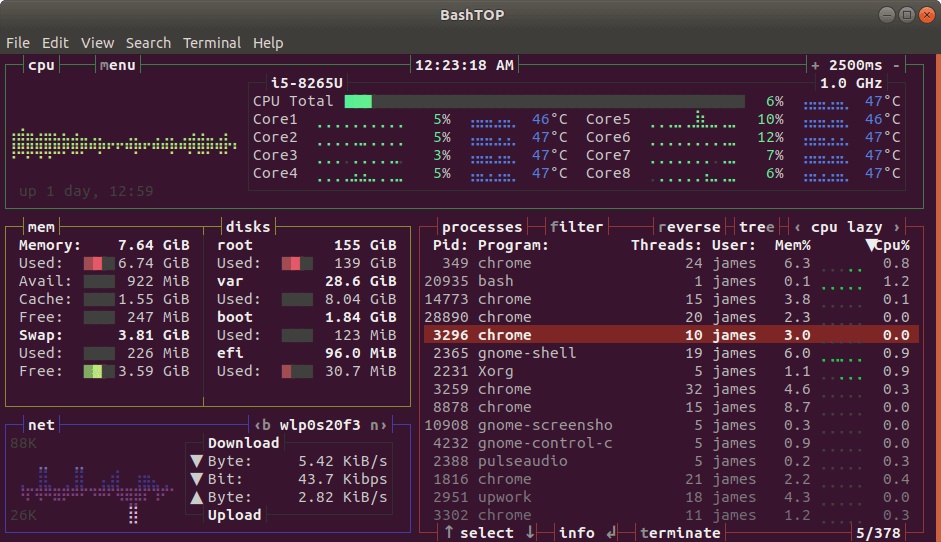
Bashtop-Linux resource monitoring tool
Bashtop configuration
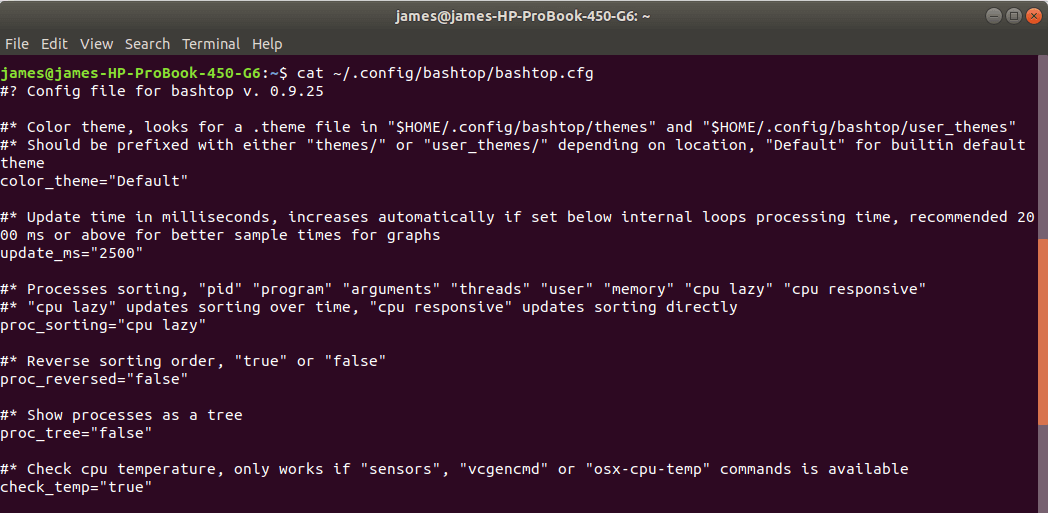
The configuration file of Bashtop is located in the location of ~/.config/bashtop/bashtop.cfg. You can change the parameters as needed to customize the appearance and output of the indicator on the terminal.
The following is an example of the default configuration:
Bashtop configuration
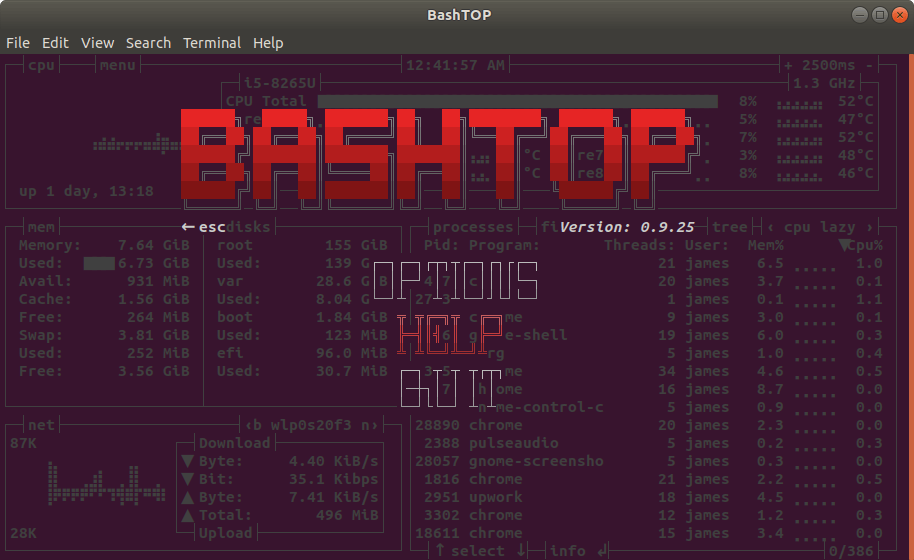
To view commands and shortcut keys, press the Esc key, and then use the down arrow key to select the Help option.
Bashtop menu
This will print out the following menu and all command options, as shown.

Bashtop options
in conclusion
Generally, Bashtop provides an excellent way to monitor Linux system resources. However, it is much slower than top and HTOP, and a bit resource-intensive. Nevertheless, it is still quite an impressive tool, which provides important information about various system indicators.
- Author: James Kiarie Translator: Yue Yong ** Original: https: //www.tecmint.com/bashtop-linux-resource-monitoring-tool/*