Python-generate requirement.txt file
Preface##
- In Python projects, there is usually a requirements.txt file
- This file is mainly used to record all dependent packages and their precise version numbers under the current project to facilitate faster deployment in a new environment
How to generate requirements.txt
Enter the project root directory and execute the following command
pip3 freeze > requirements.txt
This will report a warning

**Means: **It is best to call pip through python, so it is recommended to type the following command to generate
python.exe -m pip freeze > requirements.txt
Use requirement.txt to install third-party libraries##
pip3 install -r requirement.txt
Things to pay attention to when using Pycharm##
Foreword###
- I believe that everyone using pycharm will create many projects
- And each project needs to have its own python dependent environment, which is called Project Interpreter in pycharm
- Sometimes for convenience, this Interpreter will be set to the python path installed on this machine, as shown in the figure below, so that the dependent library will be installed once
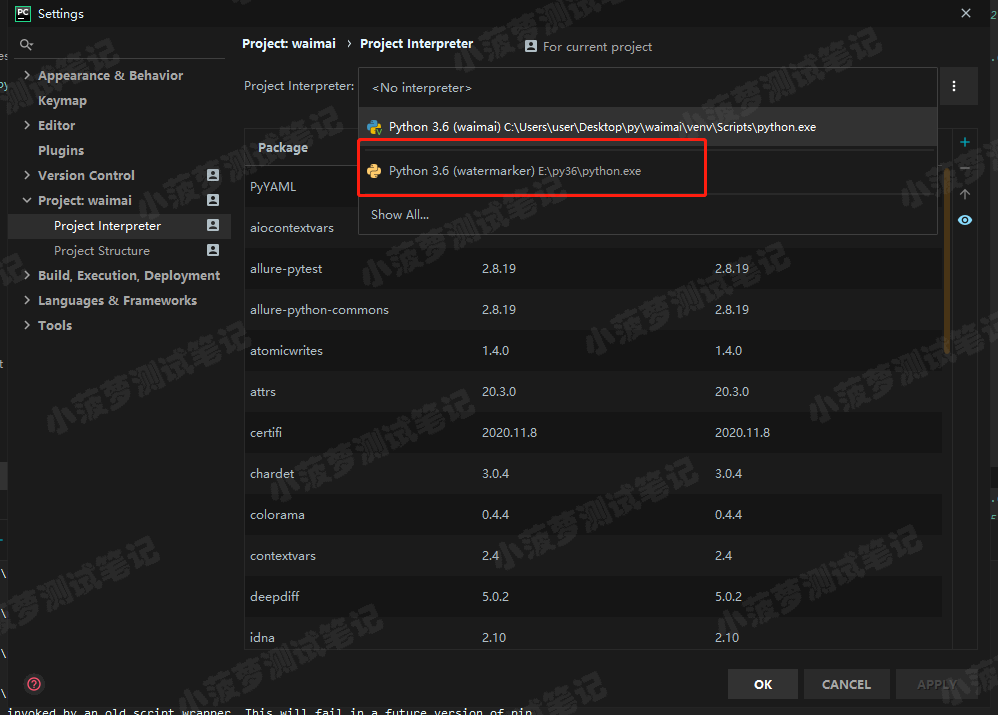
Here comes the problem###
In this way, there will be a lot of third-party libraries that depend on the environment, but when the third-party libraries of a certain project do not need a lot, if you use this interpreter to generate requirement.txt at this time, there will be a lot of irrelevant libraries
how to solve this problem###
Assign a separate project interceptor to this project
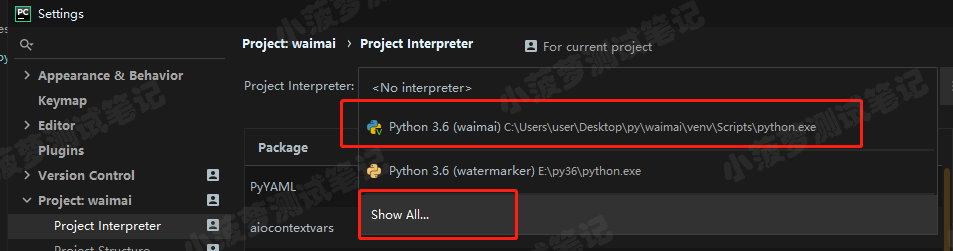
- The first is the interpreter I created and belongs to the current project
- The second one is that you can see all interpreters, let’s click on it
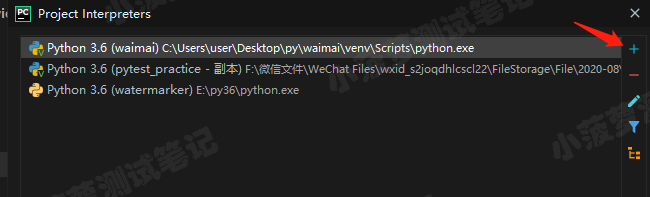
Then click + to add an interpreter
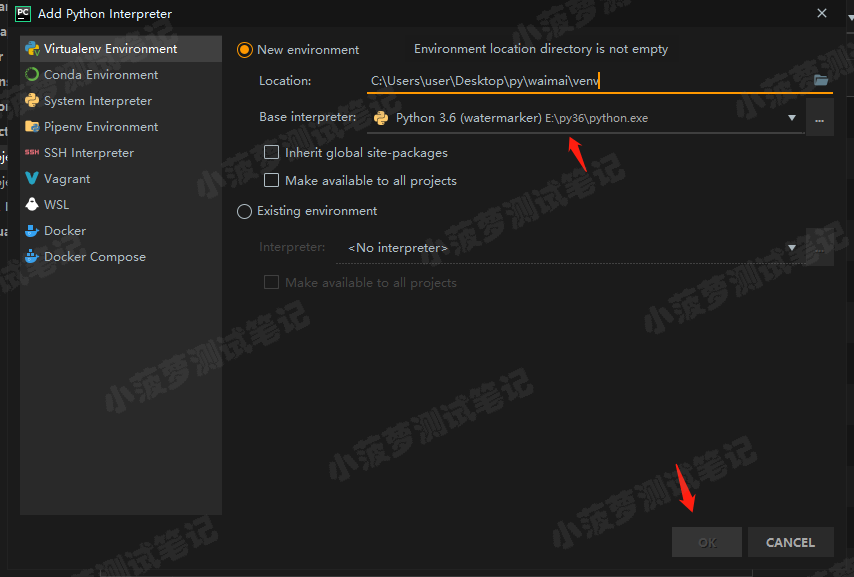
The default is OK, click OK
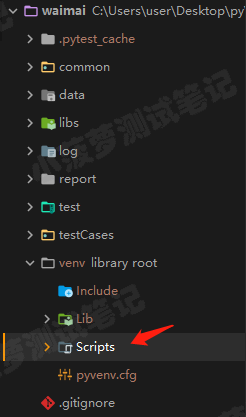
- A venv folder will appear in the project directory, and the py environment that this project depends on is what's inside
- And just under the Scripts directory
python.exe
Generate requirement.txt
Use python.exe under venv/Scripts to generate requirement.txt
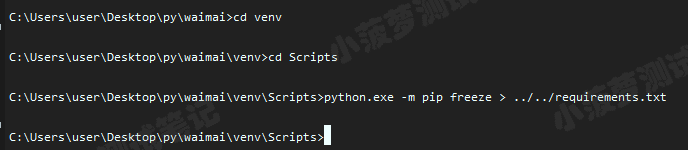
You're done, now the requirement.txt only contains the third-party libraries needed for this project!
Recommended Posts