ubuntu configuration dedicated V** supports iphone mobile ipsec connection
Recently, I need to connect to V** on the iphone, but the various software is very tricky, so the entire one-click script is purely for personal use.
Click to download.
Or use the link to get the script: https://raw.githubusercontent.com/hwdsl2/setup-ipsec-V**/master/V**setup.sh
Since the Apple mobile phone has removed the PPTP-type V** link method, the IPsec/L2TP method of V** service is installed and supports IPsec/L2TP and Cisco IPsec protocols.
wget https://raw.githubusercontent.com/hwdsl2/setup-ipsec-V**/master/V**setup.sh -O V**setup.sh
vim V**setup.sh
Modify the following
V**_IPSEC_PSK='IPsec pre-shared key'
V**_USER='Your V**username'
V**_PASSWORD='Your V**password'
Perform installation
chmod a+x V**setup.sh
sh V**setup.sh
The installation results are as follows (with network problems, I completed the installation in about 3 minutes)
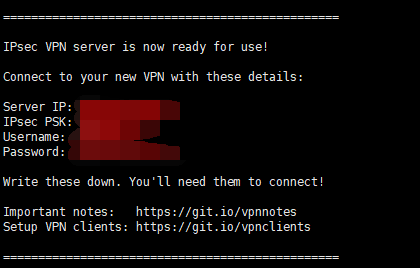
After the installation is complete, the service needs to be restarted. (You need to enter the password of your username to log in to this server)
systemctl restart ipsec.service
systemctl restart xl2tpd.service
iphone settings
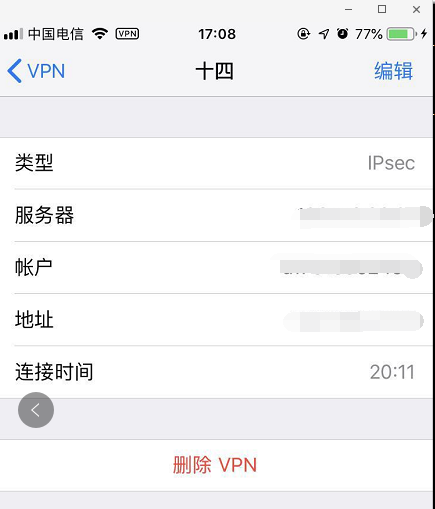
Iphone add V**: Settings-V**-Add V** configuration
The type can be ipsec or l2tp, and
server ip as the server column
ipsec psk as the key column, followed by the account password.
Pro test available ubuntu available
ubuntu@VM-97-218-ubuntu:~/V**$ uname -a
Linux VM-97-218-ubuntu 4.4.0-91-generic #114-Ubuntu SMP Tue Aug 811:56:56 UTC 2017 x86_64 x86_64 x86_64 GNU/Linux
***Original article, please indicate: ** Reprinted from *URl-team
The link address of this article:Ubuntu configuration dedicated V**support iphone mobile ipsec connection
No related posts.