python bitter short-CV2
CV2 Learning##
Overview##
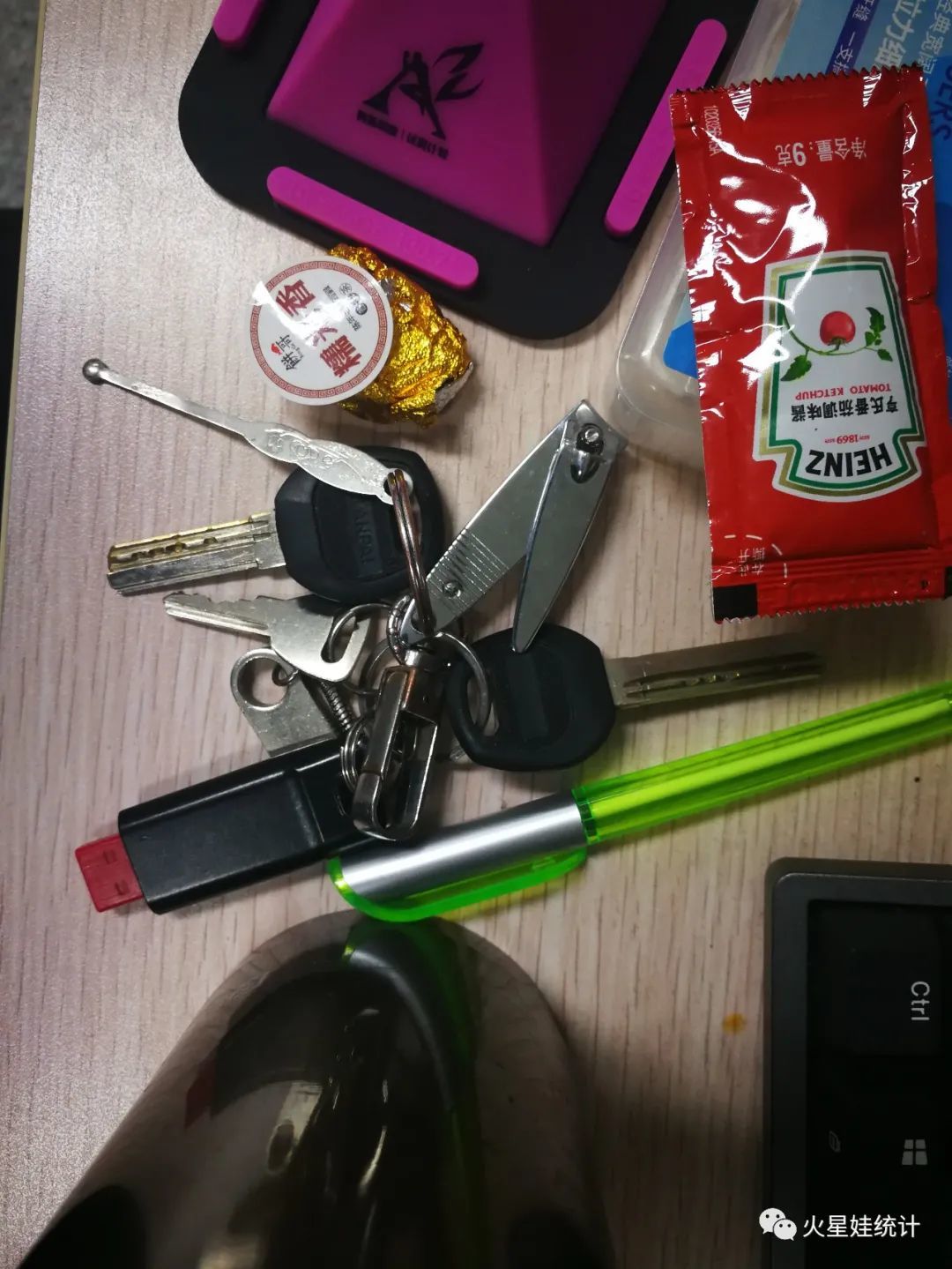
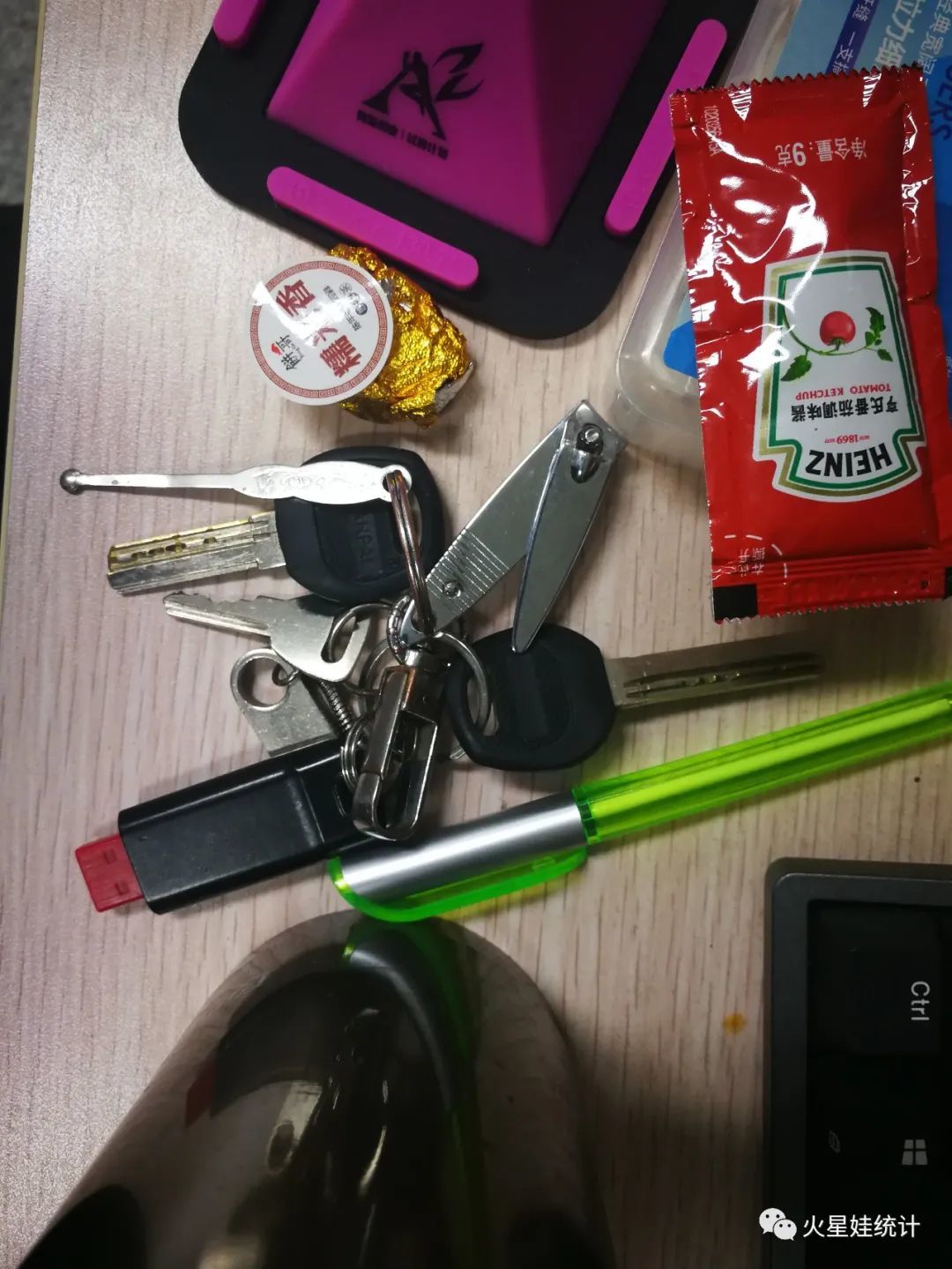
cv2 is a third-party library that is widely used in computer vision processing. It also contains some well-trained recognition models, such as [Face Recognition] (https://cloud.tencent.com/product/facerecognition?from=10680), human eye recognition and other models. This time I want to implement a program for distinguishing image differences. . There are some differences in the following two pictures, can you tell? (Forgive my ugly keychain)
Picture 1
Picture 2
Code##
# Import the required packages
import cv2  # pip install opencv-python
import numpy as np
from PIL import Image, ImageDraw, ImageFont  # pip install pillow

# Import the first picture
first1 = cv2.imread(
 r"D:\360MoveData\Users\cmusunqi\Documents\GitHub\R_and_python\python\CV2\1.jpg")
# Convert color pictures to grayscale pictures
first1 = cv2.cvtColor(first1, cv2.COLOR_BGR2GRAY)
# Gaussian blur, the purpose is to remove some noise
first1 = cv2.GaussianBlur(first1,(21,21),1.5)
# 21,21 Is the Gaussian pane, the last parameter is the blur parameter, the larger the blur, the more serious

# Import the second picture
first2 = cv2.imread(
 r"D:\360MoveData\Users\cmusunqi\Documents\GitHub\R_and_python\python\CV2\2.jpg")
# Convert color pictures to grayscale pictures
first2 = cv2.cvtColor(first2, cv2.COLOR_BGR2GRAY)
# Gaussian blur, the purpose is to remove some noise
first2 = cv2.GaussianBlur(first2,(21,21),0.5)
# 21,21 Is the Gaussian pane, the last parameter is the blur parameter, the larger the blur, the more serious

# Compare two pictures
chayi = cv2.absdiff(first2,first1)
# Gaussian blur again
img = cv2.GaussianBlur(chayi,(21,21),0.5)

# # Edge detection
canny = cv2.Canny(img,40,200)

# Overlay the detected anomaly with the original image
canny_a = cv2.add(first1,canny)

# Save the recognition picture
cv2.imwrite('pred.jpg',canny_a)
result##
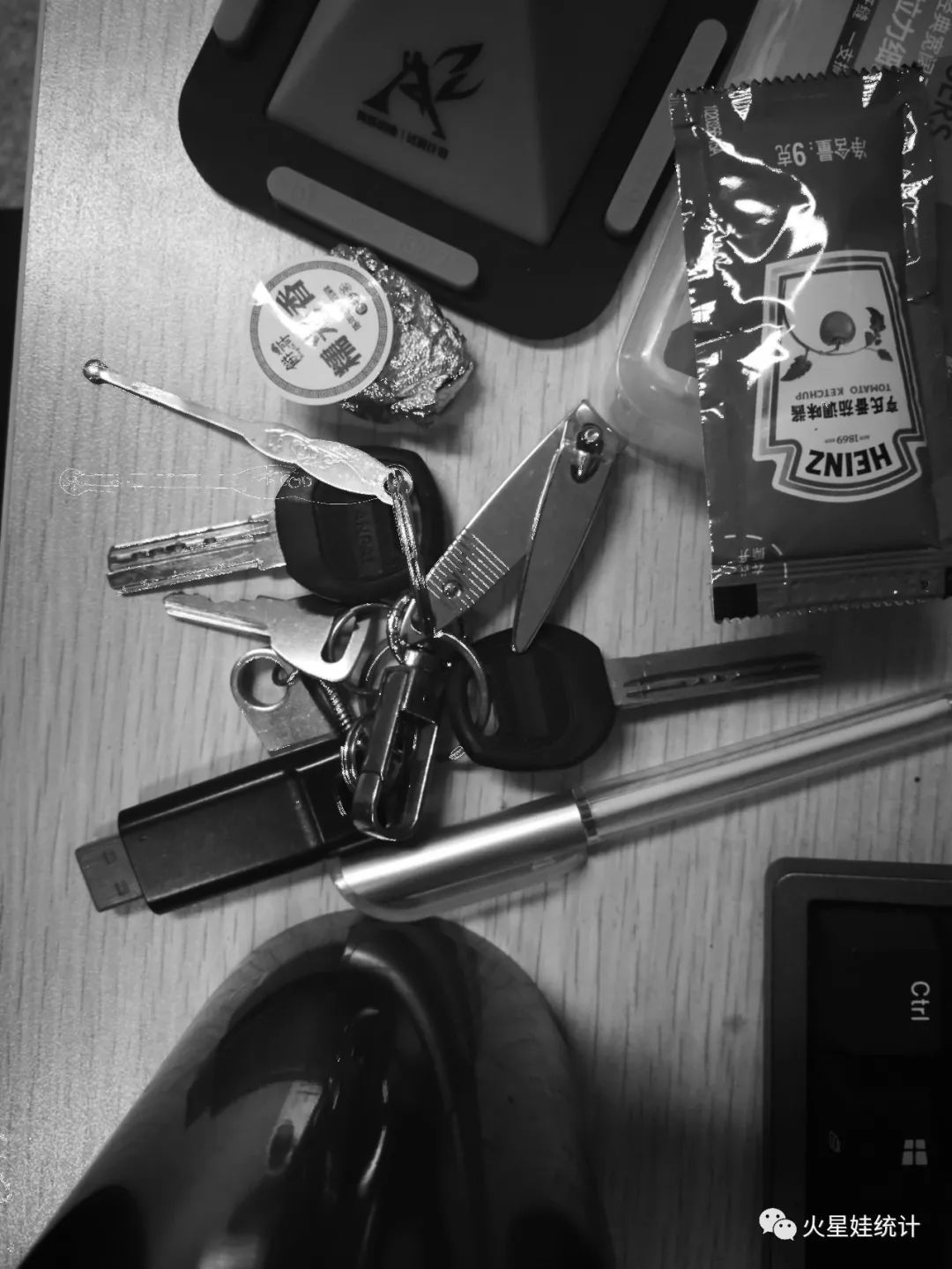
Because I converted the picture to gray scale, I didn’t convert it back here, so the picture looks gray. Through the comparison picture of CV2, you can see that there is a shallow mark next to the ear pick on the key chain, here It is the difference in edge recognition, which may be a problem with parameter settings.
Concluding remarks##
love & peace
Recommended Posts