Technical Corner | "Source Production Control" Series (2) Using Nginx 1.18 on CentOS 8: Compile, Install and Basic Use
This is the second article in the series of "Source Production Control" in Huixiang Technology Corner.
**Author's note: **Huixiang technology corner "source production control" topic, will focus on the three directions of open source, localization, independent and controllable technology, with operating system, middleware, database, program application, etc. as the rough classification, update related The development trend of technology, the in-depth use of the core technology, and the systematic summary of the overall structure of the technology provide considerable information for learners of related technologies, and also provide personal synchronized learning and summary notes for readers.
This article introduces and summarizes the basic installation and basic usage of using Nginx 1.18 on CentOS 8. In the future, regarding the use of Nginx 1.18 on CentOS 8, the series of articles on its usage summary and performance tuning will be updated one after another. Please look forward to.
What is Nginx
Nginx (pronounced "engine X") is a web server with an asynchronous framework, and can also be used as a reverse proxy, load balancer, and HTTP cache. The software was created by Igor Sesoyev and released to the public for the first time in 2004. A company of the same name was established in 2011 to provide support. On March 11, 2019, Nginx was acquired by F5 Networks for US$670 million. Nginx is free and open source software, released under the terms of a BSD-like license. Most web servers use Nginx, usually as a [Load Balancing] (https://cloud.tencent.com/product/clb?from=10680) device.
The official website of the open source version is nginx.org. The official website of the commercial version is nginx.com.
But speaking of Nginx, I have to mention the arrest of the Nginx author after Nginx was acquired by F5. According to foreign media reports, on December 12, 2019, Russian police searched the commercial server company Nginx and took away the two co-founders on the spot. . Regarding this matter, I also used it as an example in the article ["What might change us under the war epidemic"] (http://mp.weixin.qq.com/s?__biz=MjM5NDAwNTQ0MA==&mid=2249483985&idx=1&sn=84b009e4e522929ad82cd0925a6573e1&chksm=a56eae7e921927683cda98fc32743681346e60155a296aece628f498838916527e5be8453b8a&scene=21#wechat_redirect) to explain some of the risks of personal branding and word-of-mouth shaping. Those who are interested can click in and take a look.
For Nginx, due to its rapid development, excellent performance, and open source, it has harvested many markets for web service provision, load balancing, and reverse proxy scenarios, and has also derived excellent secondary development versions such as OpenResty developed by Chinese people and open source by Ali Tengine etc. After the "Using Nginx 1.18 on CentOS 8" series, I will choose the opportunity to introduce two excellent secondary developments.
Install Nginx 1.18 on CentOS 8
Although we can install it through yum -y install nginx, it is introduced in the first article of the ["source production library" series "CentOS 8 first acquaintance"] (http://mp.weixin.qq.com/s?__biz=MjM5NDAwNTQ0MA==&mid=2249484093&idx=1&sn=25e98d52ec24f840e83a78d29a6c7f4f&chksm=a56eaf92921926840f0a8ae2592af72ff4c290a3053323bcdde29ab8bbdae54b81c10af8a87a&scene=21#wechat_redirect), the precompiled version of the mirror source It is 1.14, and as of the date of publication of the article, the stable version of Nginx has been updated to 1.18, and the mainline version has been updated to 1.19, so we use the stable source code version of the official website to download and compile.
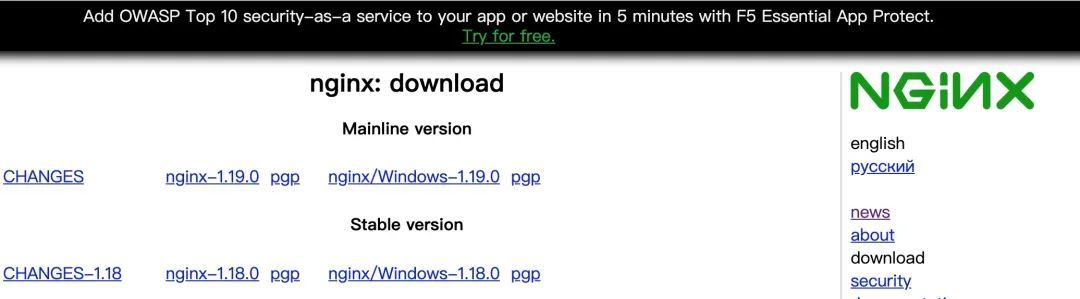
Nginx version download page, as of the post (2020-07-07) the stable version has been updated to 1.18, and the mainline version has been updated to 1.19
Tips: About the stable version and the mainline version. The former is that Nginx updates to receive fixes for high-severity errors, but will not use the latest features. The second digit of its version number is represented by an even number. The latter is Nginx is an updated and active development branch, which adds the latest features and bug fixes, and the second digit of its version number is represented by an odd number. However, in Nginx, "stable" refers to features and update frequency, it has nothing to do with software quality. The stable branch never receives new features during its life cycle, and usually only receives one or two updates to fix serious bugs. The life cycle of a stable branch is generally one year. Every April, the official will stop the maintenance of the current stable branch and no longer provide bug fixes.
Download and unzip nginx-1.18.0.tar.gz:
wget http://nginx.org/download/nginx-1.18.0.tar.gz;
tar -zxvf nginx-1.18.0.tar.gz;
Enter the directory cd nginx-1.18.0, the directory structure is as follows:
Total amount 1204
drwxr-xr-x 6100110013267 month 718:50 auto
- rw-r--r--1100110013028634Month 2122:09 CHANGES
- rw-r--r--1100110014622134Month 2122:09 CHANGES.ru
drwxr-xr-x 2100110011687 July 718:50 conf
- rwxr-xr-x 11001100125024 month 2122:09 configure
drwxr-xr-x 410011001727 month 718:50 contrib
drwxr-xr-x 210011001407Month 718:50 html
- rw-r--r--11001100113974Month 2122:09 LICENSE
drwxr-xr-x 210011001217 718:50 man
- rw-r--r--110011001494Month 2122:09 README
drwxr-xr-x 910011001917 July 718:50 src
The conf folder is the initial configuration file of Nginx, the contrib folder contains the contents of three plug-ins contributed by three open source contributors, the html folder is the default site file content, and the src folder is the Nginx source code . The configure file is a compiled configuration file.
Copy the following files in the Nginx installation package to the path, so that vim can highlight and analyze the language syntax of nginx.conf:
cp -r contrib/vim/* ~/.vim/;
. /configure --help can view the Nginx compilation support parameter list. After the configure file is set, the files required for Nginx installation will be generated in the objs file, among which ngx_modules.c, the file determines the next compilation What modules need to be compiled into Nginx.
This article does not involve the compilation and use of modules, we use the simplest compilation settings to compile and install:
. /configure --prefix=/usr/local/nginx;
If the following error is reported, please execute the command yum -y install pcre-devel openssl openssl-devel to install:
...
checking for PCRE library ... not found
checking for PCRE library in/usr/local/... not found
checking for PCRE library in/usr/include/pcre/... not found
checking for PCRE library in/usr/pkg/... not found
checking for PCRE library in/opt/local/... not found

. /configure: error: the HTTP rewrite module requires the PCRE library.
You can either disable the module by using --without-http_rewrite_module
option, or install the PCRE library into the system, or build the PCRE library
statically from the source with nginx by using --with-pcre=<path> option.
When the following content appears, the setting of the configure file is complete:
Configuration summary
 + using system PCRE library
 + OpenSSL library is not used
 + using system zlib library

 nginx path prefix:"/usr/local/nginx/"
 nginx binary file:"/usr/local/nginx/sbin/nginx"
 nginx modules path:"/usr/local/nginx/modules"
 nginx configuration prefix:"/usr/local/nginx/conf"
 nginx configuration file:"/usr/local/nginx/conf/nginx.conf"
 nginx pid file:"/usr/local/nginx/logs/nginx.pid"
 nginx error log file:"/usr/local/nginx/logs/error.log"
 nginx http access log file:"/usr/local/nginx/logs/access.log"
 nginx http client request body temporary files:"client_body_temp"
 nginx http proxy temporary files:"proxy_temp"
 nginx http fastcgi temporary files:"fastcgi_temp"
 nginx http uwsgi temporary files:"uwsgi_temp"
 nginx http scgi temporary files:"scgi_temp"
Immediately execute the make command. After execution, you can see the compiled nginx binary file and object file in the objs folder. No error indicates normal. If you install Nginx for the first time, then execute make install to install it. If you are upgrading Nginx, make install should not be used. What needs to be done is to copy the nginx binary file generated in this directory to the corresponding directory of the existing Nginx binary file.
Initial use of Nginx 1.18 in CentOS 8
After the installation is complete, enter the following command to start Nginx:
/usr/local/nginx/sbin/nginx;
The basic instruction format of Nginx is nginx -s reload, and the specific instructions are explained as follows:
nginx -?/-hto display help information;nginx -cto use the specified configuration file, followed by the configuration file path;nginx -gis the specified configuration command, followed by the configuration command that needs to be specified;nginx-pis the designated running directory, followed by the running directory path;nginx -ssends a signal, which is followed by the parameterstopto stop the service immediately,quitto stop the service in an orderly manner;reloadto reload the configuration file, andreopento restart the log file;nginx -t/-Ttest configuration file for syntax errors;nginx -v, nginx -Vprint Nginx version information or compilation information.
Visit the IP in the browser, as shown in the figure, it is normal if you can visit.
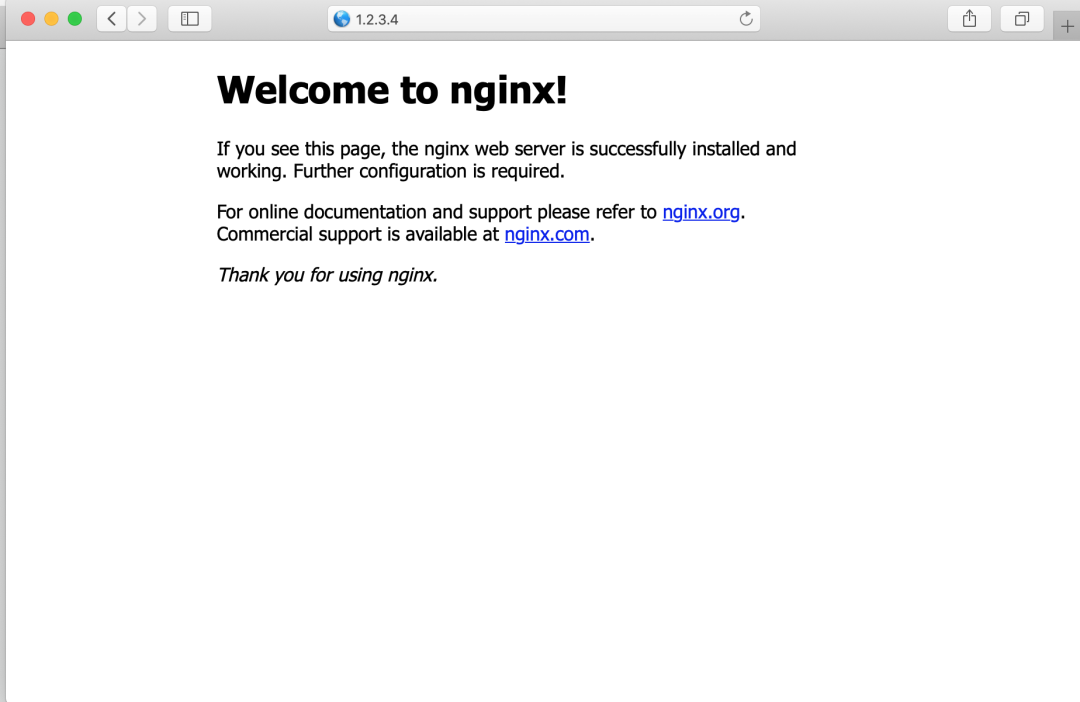
Visit the IP in the browser, as shown in the figure, it is normal
ps -ef | grep nginx to view the process:
root      85561019:24?00:00:00 nginx: master process /usr/local/nginx/sbin/nginx
nobody    85578556019:24?00:00:00 nginx: worker process
root      85618702019:25 pts/000:00:00 grep --color=auto nginx
Now that the basic Nginx is installed, the complete nginx.conf file is as follows:
# user  nobody;
worker_processes  auto;

error_log  logs/error.log;
# error_log  logs/error.log  notice;
# error_log  logs/error.log  info;

pid        logs/nginx.pid;

events {
 worker_connections  1024;}

http {
 include       mime.types;
 default_type  application/octet-stream;

 log_format  main  '$remote_addr - $remote_user [$time_local] "$request" ''$status $body_bytes_sent "$http_referer" ''"$http_user_agent" "$http_x_forwarded_for"';

 access_log  logs/access.log  main;

 server {
  listen       80;
  server_name  localhost;

  access_log  logs/host.access.log  main;

  location /{
   root   html;
   index  index.html index.htm;}

  error_page   500502503504/50x.html;
  location =/50x.html {
   root   html;}}}
Nginx configuration syntax has the following rules:
- The log file is composed of instructions and instruction blocks;
- Each instruction ends with
;, and the instructions and parameters are separated by spaces; - The instruction block organizes multiple instructions together with
{}; The includestatement allows multiple configuration files to be combined to improve maintainability;- Use
#to add comments to improve readability; - Use
$to call variables; - The parameters of some commands support regular expressions.
Nginx has a variety of command blocks, among which the http block indicates that this is the HTTP protocol processing block, the upstream indicates the configuration information provided by the upstream service, the expression of the URL corresponding to the location, and the server corresponds to one or a group of domains. /Domain name access.
The following is the parameter explanation of the configuration file part:
worker_processesis to set the number of worker processes. If it is set toauto, Nginx will set and allocate according to the number of cores of the machine. If there is no special requirement, it is generally recommended to set it toauto.error_logsets the path and level of the error log. The levels aredebug,info,notice,warn,error,crit,alert,emerg. The sex is listed in descending order. According to the explanation of the official document, the meaning of setting a certain level is that logs of this level and above will be printed in the log file. For example, settinginfoincludes itself andnotice,warn,error,crit,alert,emergwill all be listed. If the second field is empty, the default iserror.log_format main'XXX'sets the log format,mainis marked as naming, which is needed when encountering naming records with different formats for different domain names, under theserverblockaccess_log logs/access.log main;Can record in main format.
Regarding other parameters such as pid, worker_connections, etc., as well as the server, upstream, and location command blocks, they will be introduced and demonstrated in the subsequent "Using Nginx 1.18 on CentOS 8" series of articles. .
Reference
- Nginx mainline version 1.17.0 released, 1.14 stable branch has stopped maintenance
- Index - nginx.org
- Core functionality - nginx.org
Recommended Posts