centos7 devstack install openstack liberty
Native environment###
Operating System: CentOS Linux release 7.2.1511 (Core) Local IP: 172.16.33.201 Gateway: 172.16.33.201
Download devstack and preliminary preparation
This is a bit different from other people's articles. When git clone devstack, you need to specify the branch, otherwise you will be prompted that a script does not exist when you install openstack.
copy
# cd /opt
# git clone https://git.openstack.org/openstack-dev/devstack -b stable/liberty
Create a new stack user, modify the owner of the devstack folder
copy
# cd /opt/devstack/tools/
# . /create-stack-user.sh
# chown -R stack:stack /opt/devstack
Create a new local.conf file, the example is as follows, change as needed
copy
# vim /opt/devstack/local.conf

[[ local|localrc]]
# Define images to be automatically downloaded during the DevStack built process.
IMAGE_URLS="http://download.cirros-cloud.net/0.3.4/cirros-0.3.4-x86_64-disk.img"
# Credentials
DATABASE_PASSWORD=123456
ADMIN_PASSWORD=123456
SERVICE_PASSWORD=123456
SERVICE_TOKEN=pass
RABBIT_PASSWORD=123456
# FLAT_INTERFACE=eth0

HOST_IP=172.16.33.201
SERVICE_HOST=172.16.33.201
MYSQL_HOST=172.16.33.201
RABBIT_HOST=172.16.33.201
GLANCE_HOSTPORT=172.16.33.201:9292

## Neutron options
Q_USE_SECGROUP=True
FLOATING_RANGE=172.16.33.0/24
FIXED_RANGE=10.0.0.0/24
Q_FLOATING_ALLOCATION_POOL=start=172.16.33.202,end=172.16.33.210
PUBLIC_NETWORK_GATEWAY=172.16.33.254
Q_L3_ENABLED=True
PUBLIC_INTERFACE=eth0
Q_USE_PROVIDERNET_FOR_PUBLIC=True
OVS_PHYSICAL_BRIDGE=br-ex
PUBLIC_BRIDGE=br-ex
OVS_BRIDGE_MAPPINGS=public:br-ex

# Work offline
# OFFLINE=True
# Reclone each time
RECLONE=False

# Logging
# -------
# By default``stack.sh`` output only goes to the terminal where it runs. It can
# be configured to additionally log to a file by setting ``LOGFILE`` to the full
# path of the destination log file. A timestamp will be appended to the given name.
LOGFILE=/opt/stack/logs/stack.sh.log
VERBOSE=True
LOG_COLOR=True
SCREEN_LOGDIR=/opt/stack/logs

# the number of days by setting ``LOGDAYS``.
LOGDAYS=1
# Database Backend MySQL
enable_service mysql
# RPC Backend RabbitMQ
enable_service rabbit

# Enable Keystone - OpenStack Identity Service
enable_service key
# Horizon - OpenStack Dashboard Service
enable_service horizon
# Enable Swift - Object Storage Service without replication.
enable_service s-proxy s-object s-container s-account
SWIFT_HASH=66a3d6b56c1f479c8b4e70ab5c2000f5
SWIFT_REPLICAS=1
# Enable Glance - OpenStack Image service
enable_service g-api g-reg

# Enable Cinder - Block Storage service for OpenStack
VOLUME_GROUP="cinder-volumes"
enable_service cinder c-api c-vol c-sch c-bak
# Enable Heat(orchestration) Service
enable_service heat h-api h-api-cfn h-api-cw h-eng
# Enable Trove(database) Service
enable_service trove tr-api tr-tmgr tr-cond
# Enable Sahara(data_processing) Service
enable_service sahara

# Enable Tempest - The OpenStack Integration Test Suite
enable_service tempest

# Enabling Neutron(network) Service
disable_service n-net
enable_service q-svc
enable_service q-agt
enable_service q-dhcp
enable_service q-l3
enable_service q-meta
enable_service q-metering
enable_service neutron

## Neutron - Load Balancing
enable_service q-lbaas
## Neutron - Firewall as a Service
enable_service q-fwaas
## Neutron - V**as a Service
enable_service q-V**
# VLAN configuration.
# Q_PLUGIN=ml2
# ENABLE_TENANT_VLANS=True

# GRE tunnel configuration
# Q_PLUGIN=ml2
# ENABLE_TENANT_TUNNELS=True
# VXLAN tunnel configuration
Q_PLUGIN=ml2
Q_ML2_TENANT_NETWORK_TYPE=vxlan

# Enable Ceilometer - Metering Service(metering + alarming)
enable_service ceilometer-acompute ceilometer-acentral ceilometer-collector ceilometer-api
enable_service ceilometer-alarm-notify ceilometer-alarm-eval
enable_service ceilometer-anotification
## Enable NoVNC
enable_service n-novnc n-cauth

# Enable the Ceilometer devstack plugin
enable_plugin ceilometer https://git.openstack.org/openstack/ceilometer.git

# Branches
KEYSTONE_BRANCH=stable/liberty
NOVA_BRANCH=stable/liberty
NEUTRON_BRANCH=stable/liberty
SWIFT_BRANCH=stable/liberty
GLANCE_BRANCH=stable/liberty
CINDER_BRANCH=stable/liberty
HEAT_BRANCH=stable/liberty
TROVE_BRANCH=stable/liberty
HORIZON_BRANCH=stable/liberty
SAHARA_BRANCH=stable/liberty
CEILOMETER_BRANCH=stable/liberty
TROVE_BRANCH=stable/liberty

# Select Keystone's token format
# Choose from'UUID','PKI', or 'PKIZ'
# INSERT THIS LINE...
KEYSTONE_TOKEN_FORMAT=${KEYSTONE_TOKEN_FORMAT:-UUID}
KEYSTONE_TOKEN_FORMAT=$(echo ${KEYSTONE_TOKEN_FORMAT}| tr '[:upper:]''[:lower:]')[[post-config|$NOVA_CONF]][DEFAULT]
# Ceilometer notification driver
instance_usage_audit=True
instance_usage_audit_period=hour
notify_on_state_change=vm_and_task_state
notification_driver=nova.openstack.common.notifier.rpc_notifier
notification_driver=ceilometer.compute.nova_notifier
Install openstack
copy
# cd /opt/devstack
# su stack
# . /stack.sh
The installation is complete, as shown below:

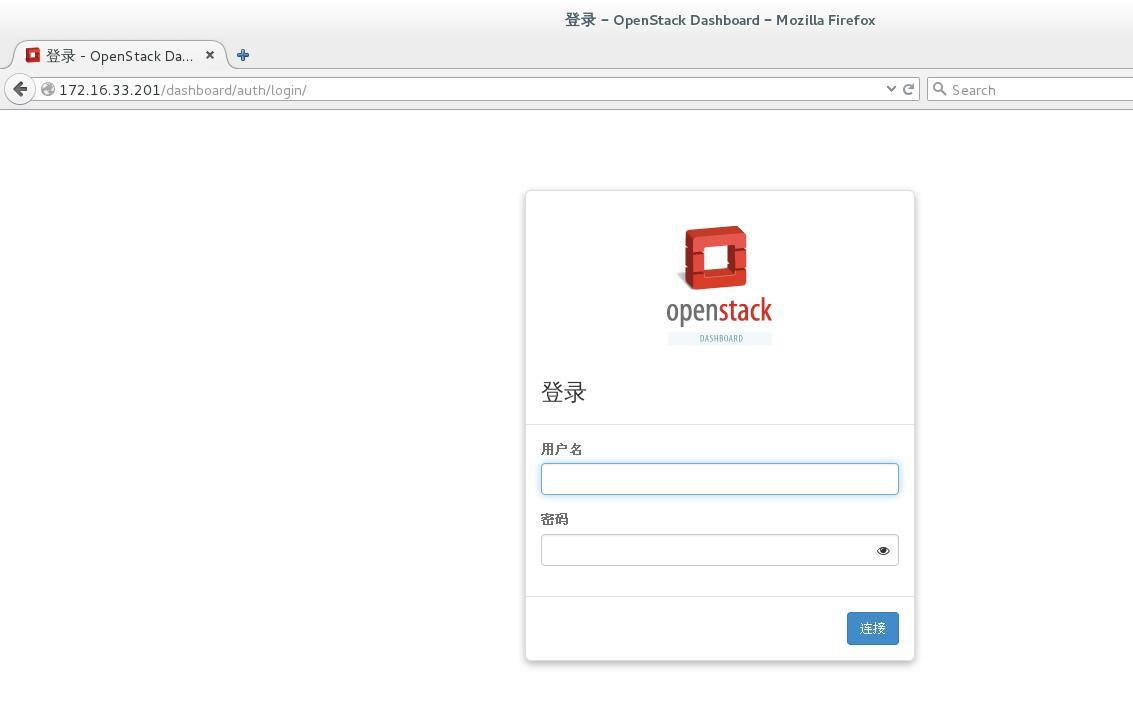
Visit dashboard:
Command line operation###
copy
admin user
# source /opt/devstack/openrc admin admin #Load environment variables to operate
demo user
# source /opt/devstack/openrc demo demo #Load environment variables to operate
Recommended Posts